Free Shipping on Domestic Orders $75+

Asus U56E-BBL6 RAM Replacement

What you need

  1. Asus U56E-BBL6 RAM Replacement, Back Panel: step 1, image 1 of 2 Asus U56E-BBL6 RAM Replacement, Back Panel: step 1, image 2 of 2
    • Using a Phillips #00 screwdriver, remove the screws.

    Ask FixBot

    Add Comment

  2. Asus U56E-BBL6 RAM Replacement: step 2, image 1 of 1
    • Lift backplate and remove from the case.

    Ask FixBot

    Add Comment

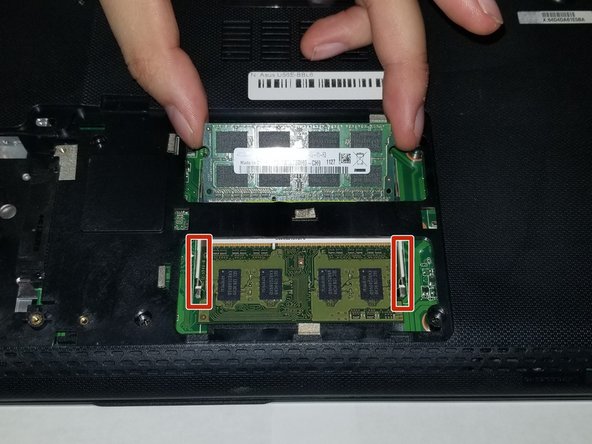
  3. Asus U56E-BBL6 RAM Replacement, RAM: step 3, image 1 of 1
    • Once inside the panel, locate your RAM sticks.

    Ask FixBot

    Add Comment

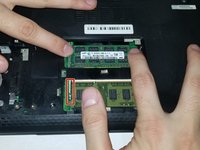
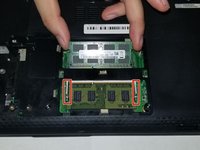
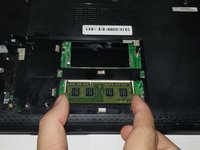
  4. Asus U56E-BBL6 RAM Replacement: step 4, image 1 of 2 Asus U56E-BBL6 RAM Replacement: step 4, image 2 of 2
    • This device is embedded with two RAM sticks.

    • Push the metal brackets carefully to release and remove the RAM stick .

    Ask FixBot

    Add Comment

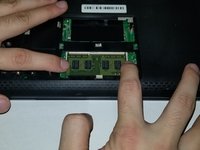
  5. Asus U56E-BBL6 RAM Replacement: step 5, image 1 of 2 Asus U56E-BBL6 RAM Replacement: step 5, image 2 of 2
    • Repeat the previous step for removing the other RAM stick.

    Ask FixBot

    Add Comment

Conclusion

To reassemble your device, follow these instructions in reverse order.

Cancel: I did not complete this guide.

One other person completed this guide.

Josiah Allard

Member since: 10/26/18

733 Reputation

6 Guides authored

Team

0 Guide Comments

Add Comment

View Statistics:

Past 24 Hours: 1

Past 7 Days: 14

Past 30 Days: 34

All Time: 467