
Asus Transformer T100 Front Facing Camera Board Replacement

Taylor Pantiga and 9 other contributors
Last updated on Mar 22, 2018
Views: 4.5K
View statistics:
- Past 24 Hours:
- 2
- Past 7 Days:
- 27
- Past 30 Days:
- 100
- All Time:
- 4,453
Comments: 4
3 comments on steps, 1 guide comment.
Go to guide commentsCompleted: 2 3
2 people have marked this guide "completed." Will you be next?
3 people have marked this guide "completed." Including you — great job!
Favorites: 5 6
5 people have favorited (and subscribed to) this guide. Will you be next?
6 people have favorited (and subscribed to) this guide — including you!
Needs Better Images
Better photos will improve this guide. Help out by taking, editing, or uploading new ones!
Introduction
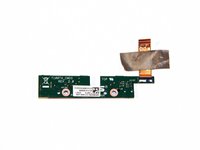
Go to step 1 ↓Use this guide to replace the front-facing camera board on your Asus Transformer T100.
What you need
Tools


-
-
-
Separate the tablet from the base by pressing the large silver button below the tablet. The silver button is located at the base of the tablet.
-
Remove the tablet by lifting up.
 Ask FixBot
-
-
-
Insert the opening tool into the seam of the tablet casing and gently pry upwards.
-
With a little force, you will feel the clips release.
-
-
-
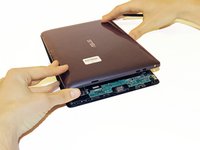
Slide the tool along all four edges of the tablet, making sure that all the clips are released.
-
-
-
-
-
-
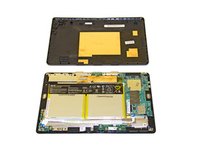
The camera board is located in the red square in this image.
-
-
-
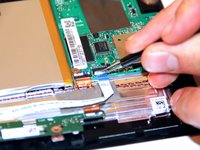
Lift up the power button cable retention clip on the motherboard and pull the cable out.
-
-
-
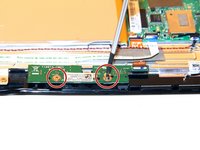
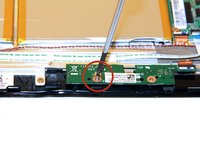
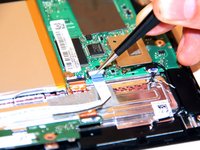
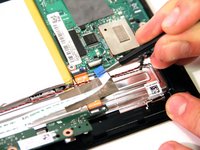
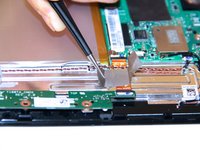
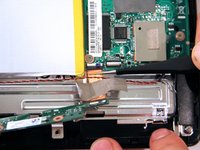
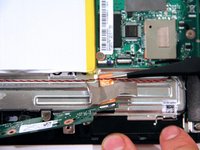
On the camera connection apparatus, locate the silver tape that connects to the tablet.
-
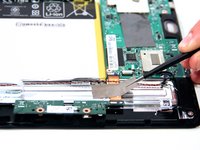
Peel the silver tape off of the tablet on both sides of the connection apparatus.
-
-










To reassemble your device, follow these instructions in reverse order.
Cancel: I did not complete this guide.
2 other people completed this guide.

Team

Cal Poly, Team 13-31, Maness Spring 2014 Member of Cal Poly, Team 13-31, Maness Spring 2014
CPSU-MANESS-S14S13G31
3 Members
72 Guides authored
1 Guide Comment
Hello, can you please tell a manufacturer of the camera (is it writter somethere on it)?
