Introduction
This guide will walk you through how to replace the speakers in an Asus Transformer Pad TF103C tablet. The part that you will be replacing are the two speakers that are built into the tablet. The speakers are the main source of sound for the tablet. Some symptoms that might be presented by a device in need of repair will be a lack of sound, the sound is muffled or intermittent, and there is no sound other than a crackling and popping noise. For more information about symptoms that the device might present, please look at the Asus website, link below. This project will require you to work with electrical wire which carries a slight risk of electrocution.
What you need
-
-
-
Shut down your tablet before beginning the repair.
-
Insert the plastic opening tool on the side of the tablet.
-
Gently pull upwards and carefully pry open the tablet.
 Ask FixBot
-
-
-
Slide the tool around all four sides of the tablet while gently pulling the tool up.
-
-
-
Remove the back cover once you have loosened it from the tablet. Set the back cover aside.
-
Rotate the tablet to match the picture.
-
-
-
-
Use the plastic opening tool to carefully pry the battery out from the frame.
-
-
-
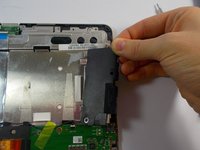
Remove the tape and unplug the wire that is connected to both of the speakers.
-
-


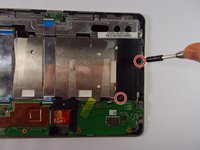
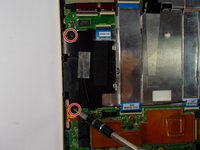


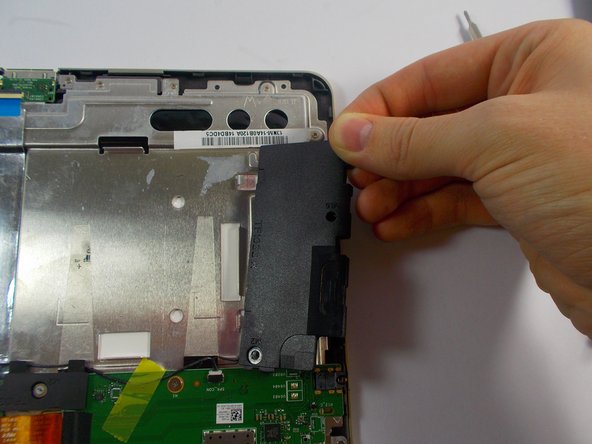
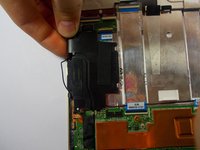
To reassemble your device, follow these instructions in reverse order.

Team

UMass Dartmouth, Team 3-6, Shastany Fall 2015 Member of UMass Dartmouth, Team 3-6, Shastany Fall 2015
UMASSD-SHASTANY-F15S3G6
4 Members
60 Guides authored
