Free Shipping on Domestic Orders $75+

Asus Transformer Flip Book TP200S IO Board Replacement

What you need

    1. Asus Transformer Flip Book TP200S IO Board Replacement, Battery: step 1, image 1 of 2 Asus Transformer Flip Book TP200S IO Board Replacement, Battery: step 1, image 2 of 2
      • Remove the back 6mm and 8mm screws with a J000 screwdriver.

      Ask FixBot

      Add Comment

    2. Asus Transformer Flip Book TP200S IO Board Replacement: step 2, image 1 of 1
      • Remove the back cover of the flip book by gently using a metal spudger.

      Ask FixBot

      Add Comment

    3. Asus Transformer Flip Book TP200S IO Board Replacement: step 3, image 1 of 1
      • Unscrew the battery from the motherboard using a J000 screwdriver on the 3mm screws.

      Ask FixBot

      Add Comment

    4. Asus Transformer Flip Book TP200S IO Board Replacement: step 4, image 1 of 2 Asus Transformer Flip Book TP200S IO Board Replacement: step 4, image 2 of 2
      Tool used on this step:
      Tweezers
      $4.99
      Buy
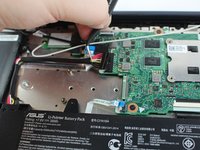
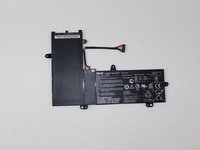
      • The battery comes attached to the motherboard and needs to be disconnected before you can remove it.

      • Disconnect the battery from the motherboard by gently pulling out the connection with tweezers.

      • Gently remove the Wifi cables hooked to the rim of the battery

      • Remove the battery

      Ask FixBot

      Add Comment

    1. Asus Transformer Flip Book TP200S IO Board Replacement, IO Board: step 5, image 1 of 2 Asus Transformer Flip Book TP200S IO Board Replacement, IO Board: step 5, image 2 of 2
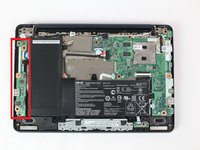
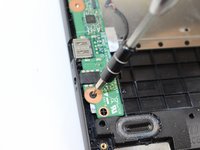
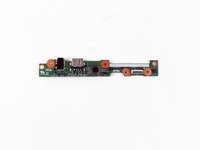
      • The IO Board will be the section of circuitry to the left. It's held down by a couple of 3mm and 6mm screws and some device connections.

      • Unscrew the 3mm and 6mm screws on the IO Board with a phillips head J000 screwdriver.

      Ask FixBot

      Add Comment

    2. Asus Transformer Flip Book TP200S IO Board Replacement: step 6, image 1 of 3 Asus Transformer Flip Book TP200S IO Board Replacement: step 6, image 2 of 3 Asus Transformer Flip Book TP200S IO Board Replacement: step 6, image 3 of 3
      Tool used on this step:
      Tweezers
      $4.99
      Buy
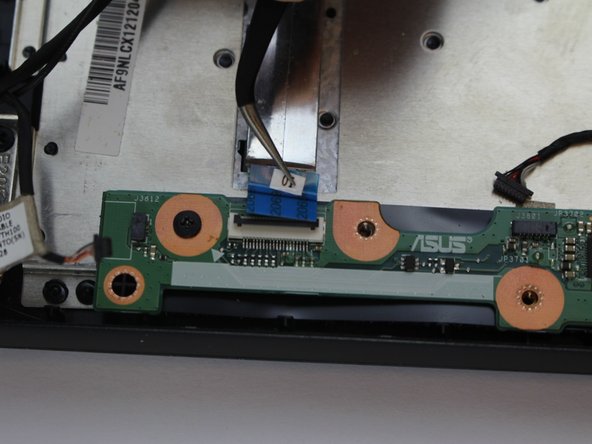
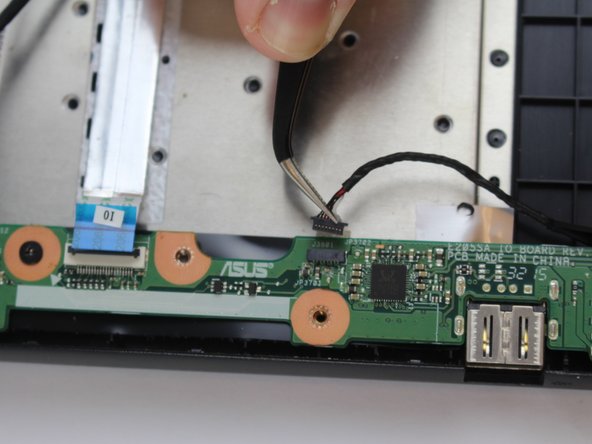
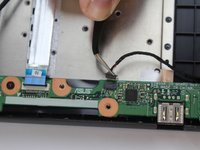
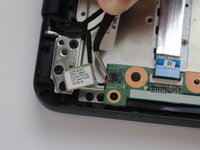
      • After unscrewing, gently unplug all the connections to the IO Board with tweezers. We have highlighted where these connections are located in our images.

      Ask FixBot

      Add Comment

    3. Asus Transformer Flip Book TP200S IO Board Replacement: step 7, image 1 of 2 Asus Transformer Flip Book TP200S IO Board Replacement: step 7, image 2 of 2
      • Remove the final connections from the IO board with tweezers.

      Ask FixBot

      Add Comment

Conclusion

To reassemble your device, follow these instructions in reverse order.

Cancel: I did not complete this guide.

Alejandro Lopez

Member since: 02/15/18

662 Reputation

5 Guides authored

Team

USF Tampa, Team S17-G2, Boczar Spring 2018 Member of USF Tampa, Team S17-G2, Boczar Spring 2018

USFT-BOCZAR-S18S17G2

3 Members

60 Guides authored

0 Guide Comments

Add Comment

View Statistics:

Past 24 Hours: 1

Past 7 Days: 5

Past 30 Days: 25

All Time: 997