
Asus TUF Gaming FX705G RAM Replacement

LupitaPerez and one other contributor
Last updated on Jan 9, 2026
Views: 316
View statistics:
- Past 24 Hours:
- 2
- Past 7 Days:
- 21
- Past 30 Days:
- 79
- All Time:
- 316
Comments: 1
1 comment on steps.
Completed: 1 2
1 person has marked this guide "completed." Will you be next?
2 people have marked this guide "completed." Including you — great job!
Favorites: 0 1
No one has favorited (and subscribed to) this guide. Will you be the first?
1 person has favorited (and subscribed to) this guide — and that's you!
Featured Student Guide
This guide has been the hard work of our awesome students and is found to be exceptionally cool by the iFixit staff.
Introduction
Go to step 1 ↓If your Asus TUF Gaming FX705G is having problems, such as slowdowns, memory errors, freezing, or crashing, those might be signs that it's time to replace your laptop's RAM.
Replacing your laptop's RAM can not only improve its performance but also increase your internet browsing, allowing data to transfer at a faster speed, and resolving storage.
Tools required:
- Tweezers
What you need
Tools
-
Spudger4.9
-


-
-
-
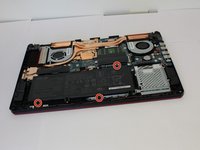
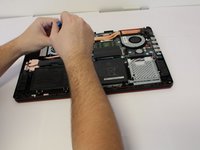
Use the iFixit opening tool to lift the back cover's seam, then insert the spudger parallel to the back cover and lift gently upward.
-
-
-
-
-
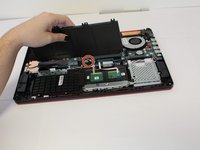
Disconnect the wire from the motherboard, and lift the battery from its housing.
-
-
-
-
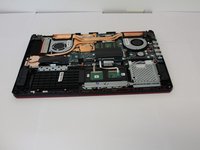
Two clips secure the RAM module in place, one on each side. Using your fingers, spread the clips away from the RAM module.
-
-


 Ask FixBot






To reassemble your device, follow the above steps in reverse order.
Take your e-waste to an R2 or e-Stewards certified recycler.
Repair didn’t go as planned? Try some basic troubleshooting or ask our Answers community for help.
Cancel: I did not complete this guide.
One other person completed this guide.

Team

University of North Texas, Team 3-7, Coppersmith Fall 2025 Member of University of North Texas, Team 3-7, Coppersmith Fall 2025
UNT-COPPERSMITH-F25S3G7
5 Members
48 Guides authored
