
Asus Rog GL55VW-DH71 Disassembly

Addison Thomas and 3 other contributors
Last updated on Jun 14, 2018
Views: 10K
View statistics:
- Past 24 Hours:
- 6
- Past 7 Days:
- 48
- Past 30 Days:
- 141
- All Time:
- 10,001
Comments: 7
5 comments on steps, 2 guide comments.
Go to guide commentsCompleted: 6 7
6 people have marked this guide "completed." Will you be next?
7 people have marked this guide "completed." Including you — great job!
Favorites: 1 2
1 person has favorited (and subscribed to) this guide. Will you be next?
2 people have favorited (and subscribed to) this guide — including you!
Introduction
Go to step 1 ↓This guide will teach you how to disassemble the laptop for repairs that require the removal of the motherboard. This guide is required to replace the screen and speakers on the laptop.
What you need
Tools


-
-
-
Flip the laptop over so the backside is facing upwards.
-
Using both hands, slide the lock mechanisms outwards and pull up to remove the battery.
 Ask FixBot
-
-
-
-
-
Remove the nine 15.4mm Phillips #00 screws.
-
Remove the four 8.7mm Phillips #00 screws from the hard drive mounting bracket.
-
Remove the hard drive bracket.
-
-
-
Flip laptop over and open the screen.
-
Wedge some plastic opening tools between the keyboard and case.
-
Work your way around with the plastic opening tools until the keyboard is separate from the case.
-
-
-
-
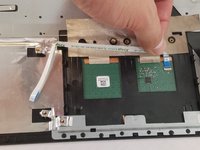
Remove the ZIF connected ribbon cables for the touchpad and keyboard by gently lifting the latch on the connector point, then slide the ribbon cable out. Repeat for each cable.
-
Verify all ribbon cables are disconnected and out of the way, and lift the keyboard out of the assembly.
-
-
-
-
-
Remove the CD/DVD drive by sliding it out of the side of the laptop.
-
-
-
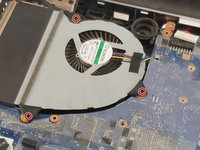
Remove the three 6.5mm Phillips #00 screws from the fan.
-
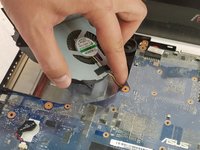
Disconnect the fan power cable from the motherboard.
-
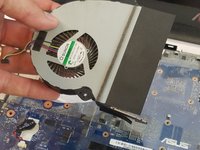
Remove the fan.
-
-
-
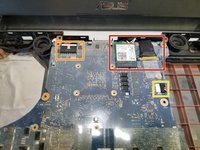
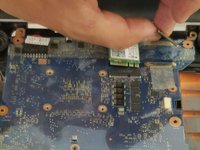
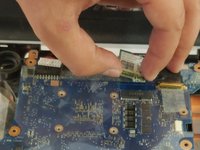
Gently remove the ribbon cables and wireless chip. A plastic prying tool will help in this removal.
-
Remove the power cable for the motherboard.
-
Remove the power cable for the speaker.
-
-
-
Ensuring no missed connections or screws, remove the motherboard from the assembly.
-
-


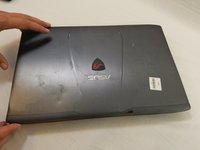
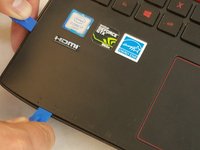


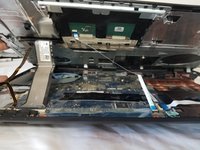
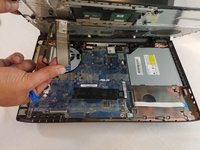





To reassemble your device, follow these instructions in reverse order.
Cancel: I did not complete this guide.
6 other people completed this guide.

Team

USF Tampa, Team S1-G2, Nance Spring 2018 Member of USF Tampa, Team S1-G2, Nance Spring 2018
USFT-NANCE-S18S1G2
4 Members
96 Guides authored
2 Guide Comments
How to assemble it again? I don't have much experience and will do it for the first time watching your guide. Thank you!!
Concerning Step 5, and I quote: "Remove the CD/DVD drive by sliding it out of the side of the laptop." This is shown after the removal of the cover.
Note: There is a cover screw under the outer edge of the drive for the cover. Therefore, the drive has to be removed first. This is how it is with my unit, anyway ...
