Introduction
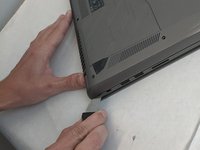
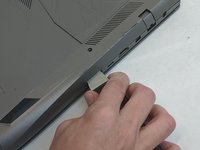
This simple guide will be used in almost every step involved in repairing the computer. You will need to remove the bottom cover to access all of the components of the computer. This should be done in a contained well-lit setting since the small screws may be easy to lose in low light settings.
What you need
-
-
-
Remove the ten JIS #0 screws around the edge of the laptop.
-
The two bottom screws are slightly shorter
-
-

 Ask FixBot



To reassemble your device, follow these instructions in reverse order.
Cancel: I did not complete this guide.
2 other people completed this guide.

Team

Embry-Riddle Aeronautical University, Team S8-G6, Salas Fall 2019 Member of Embry-Riddle Aeronautical University, Team S8-G6, Salas Fall 2019
ERAU-SALAS-F19S8G6
4 Members
84 Guides authored
