
Asus ROG G752V Wireless Card Replacement

Jeong and 6 other contributors
Last updated on Jan 5, 2021
Views: 4.3K
View statistics:
- Past 24 Hours:
- 3
- Past 7 Days:
- 27
- Past 30 Days:
- 69
- All Time:
- 4,287
Comments: 8
8 comments on steps.
Completed: 2 3
2 people have marked this guide "completed." Will you be next?
3 people have marked this guide "completed." Including you — great job!
Favorites: 1 2
1 person has favorited (and subscribed to) this guide. Will you be next?
2 people have favorited (and subscribed to) this guide — including you!
Introduction
Go to step 1 ↓A wireless card is used to connect a computer to a wireless network (Wi-Fi).
If your Asus ROG G752V is giving a blue screen or the wireless card is damaged, this means that the wireless connection is not working and a repair is needed.
Before starting the guide below, it is important to disconnect the charger from the laptop and make sure that the laptop is completely shut off before starting.
Be sure to have all the specified tools that are listed below before starting the replacement process.
Now follow these steps below in order to fix the issue.
What you need


-
-
Tool used on this step:Tweezers$4.99
-
Using a pair of tweezers, remove all 11 rubber plugs off of the back cover.
 Ask FixBot
-
-
-
Using a Phillips #0 screwdriver, remove all twelve 5.2mm screws on the back of the laptop.
-
-
-
Using the Phillips #00 screwdriver, remove the six 5.2 mm screws under the service cover.
-
-
-
-
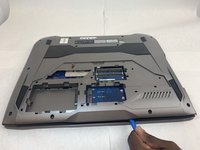
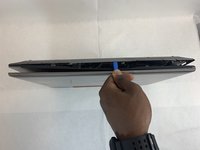
Use the iFixit opening tool to pry apart the back panel from the main body of the laptop.
-
-
-
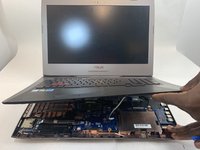
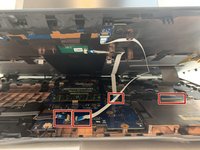
Using an ESD safe tool, detach all 3 ribbon cables. To do so, lift up the cable up and out.
-
-
-
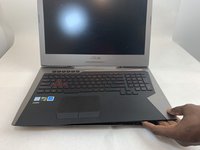
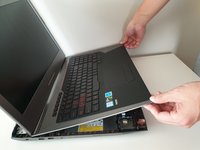
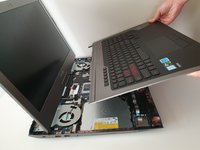
Once the cables are detached, lift the keyboard about 2 inches up and remove it from the rest of the body.
-
-
-
-
-
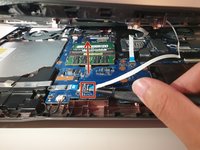
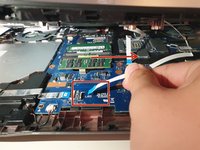
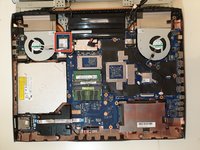
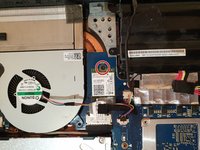
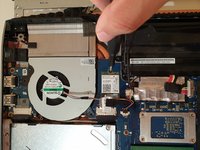
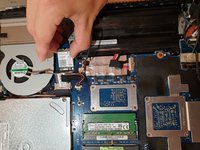
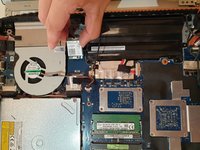
Using your hands, unlatch the wireless card by pulling it out toward the screen.
-












To reassemble your device, follow these instructions in reverse order.
Cancel: I did not complete this guide.
2 other people completed this guide.

Team

Embry-Riddle Aeronautical University, Team S2-G36, Watkins Fall 2019 Member of Embry-Riddle Aeronautical University, Team S2-G36, Watkins Fall 2019
ERAU-WATKINS-F19S2G36
4 Members
72 Guides authored
