
Asus ROG G55VW-DH71 Sound Bar Replacement

Savanna Stockman and 5 other contributors
Last updated on May 7, 2024
Views: 646
View statistics:
- Past 24 Hours:
- 0
- Past 7 Days:
- 9
- Past 30 Days:
- 56
- All Time:
- 646
Comments: 1
1 guide comment.
Go to guide commentsCompleted: 0 1
No one has marked this guide "completed." Will you be the first?
1 person has marked this guide "completed." It's you — great job!
Favorites: 0 1
No one has favorited (and subscribed to) this guide. Will you be the first?
1 person has favorited (and subscribed to) this guide — and that's you!
Better Introduction
Improve this guide by completing or revising its introduction.
Introduction
Go to step 1 ↓Experiencing audio troubles with your Asus ROG G55VW-DH71? Simply replace it by using this five step guide!
Great audio is a necessity for any computer user and your ROG G55VW-DH71 may be in need of an upgrade. Through this guide, your auditory needs and computer experience can be enhanced in only two minutes.
What you need
Tools


-
-
-
Using the PH0 screw driver remove both 4.4 mm screws.
-
Using the PH0 screw driver remove the 6.4 mm screw.
-
-
-
-
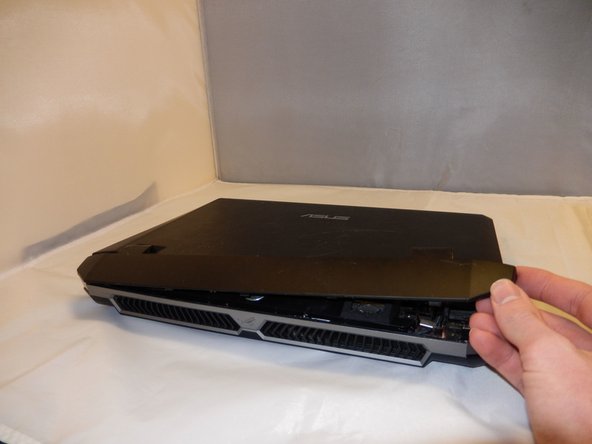
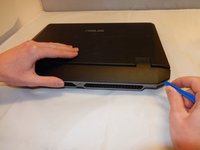
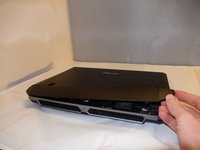
Using the iFixit opening tool, gently pry open the plate covering the spine of the device.
-
-
-
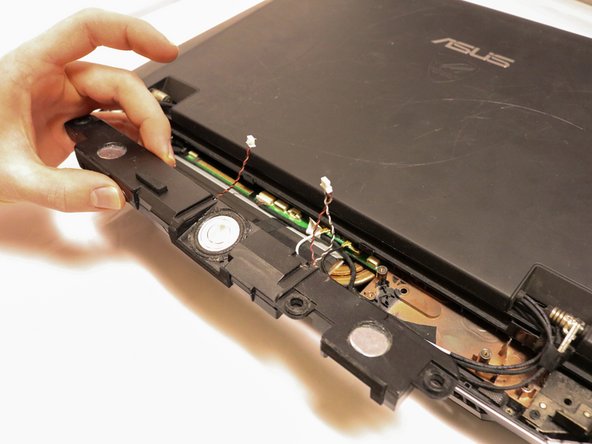
Using the PH 00 screwdriver, remove the three 10.6 mm screws holding the sound bar down.
-
-
Tool used on this step:Tweezers$4.99
-
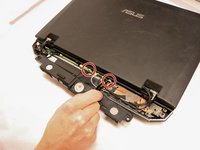
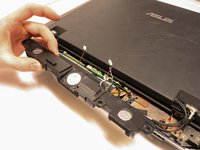
Using the bent black tweezers, remove both wires connecting the sound bar to the motherboard.
-


 Ask FixBot




To reassemble your device, follow these instructions in reverse order.

Team

Eastern Washington University, Team S1-G2, Crawford Winter 2019 Member of Eastern Washington University, Team S1-G2, Crawford Winter 2019
EWU-CRAWFORD-W19S1G2
4 Members
60 Guides authored
1 Guide Comment
Excellent tutorial. Thank you for your help.Excellent tutorial. Thank you for your help. I lost the back cover of my g55. I couldn't find a spare part here in Brazil.
