
Asus ROG G53SW-XT1 Optical Drive Replacement

Bailey Herring and one other contributor
Last updated on Jun 14, 2018
Views: 612
View statistics:
- Past 24 Hours:
- 2
- Past 7 Days:
- 15
- Past 30 Days:
- 63
- All Time:
- 612
Comments: 0
No one has left comments on this guide. Will you be first?
Go to guide commentsCompleted: 0 1
No one has marked this guide "completed." Will you be the first?
1 person has marked this guide "completed." It's you — great job!
Favorites: 0 1
No one has favorited (and subscribed to) this guide. Will you be the first?
1 person has favorited (and subscribed to) this guide — and that's you!
Introduction
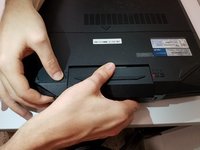
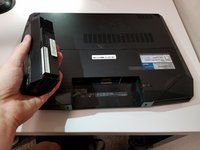
Go to step 1 ↓This guide will demonstrate how to replace the optical drive in the ASUS ROG G53SW-XT1.
What you need
Tools
-
Spudger4.9


-
-
-
-
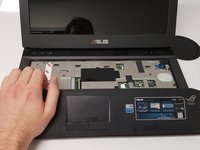
Insert a spudger, or plastic opening tool, into these five slots and pry upwards to pop up the keyboard.
-
-
-
-
-
-
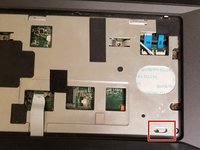
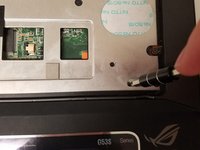
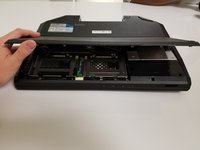
Insert your screwdriver into the locking mechanism and slide it to the left. This will unlock the hand rest and allow you to pull it free.
-
-
-
-
-
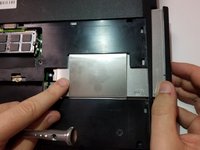
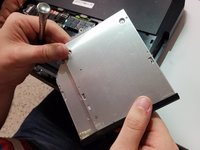
Remove the single 7mm Phillips #0 screw holding the hard drive in place.
-
-

 Ask FixBot








To reassemble your device, follow these instructions in reverse order.

Team

University of North Texas, Team S4-G4, Thompson Spring 2018 Member of University of North Texas, Team S4-G4, Thompson Spring 2018
UNT-THOMPSON-S18S4G4
3 Members
60 Guides authored
