Introduction
Replace your defective motherboard to allow other hardware components to be able to communicate with each other effectively again.
What you need
-
-
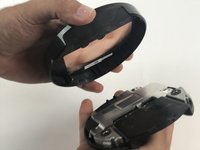
Use the metal spudger to gently pry open the back of the Nexus Player.
 Ask FixBot
-
-
-
-
Use a PH1 Philips-head screw driver to unscrew the four 8 mm screws holding the shield in place.
-
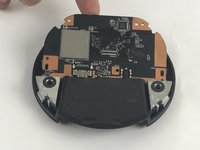
Once screws are removed, simply lift the shield away.
-
-
-
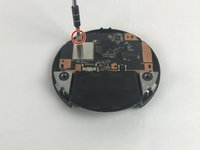
Remove the 5 mm screw using the PH1 Phillips-head screwdriver to be able to remove the motherboard.
-
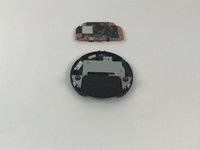
After the screw is removed, lift the motherboard out of the frame.
-




To reassemble your device, follow these instructions in reverse order.
Cancel: I did not complete this guide.
One other person completed this guide.

Team

USF Tampa, Team 5-1, Passmore Spring 2017 Member of USF Tampa, Team 5-1, Passmore Spring 2017
USFT-PASSMORE-S17S5G1
3 Members
1 Guide authored
