Introduction
If your Asus K55VD is having problems reading DVDs, not playing audio or videos properly, or DVD programs won't install properly then it may be experiencing a faulty optical disk drive which needs to be replaced.
What you need
-
-
-
Flip the device over to its back cover.
-
Use the switches to release the battery from its adapter.
 Ask FixBot
-
-
-
-
-
Use a Phillips #0 screwdriver to remove the two 1.5 mm screws in the smaller portion of the bottom cover.
-
After removing the screws, remove the smaller cover.
-
-
-
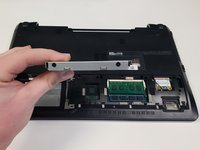
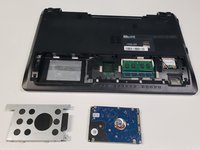
Use a Phillips #0 screwdriver to remove the 1.5 mm screws that hold down the hard drive.
-
-
-
-
-
-
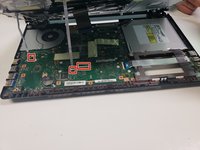
Using the the Philips #0 Screwdriver remove highlighted screws.
-
-
Tool used on this step:Tweezers$4.99
-
Lift plastic cover with tweezers.
-
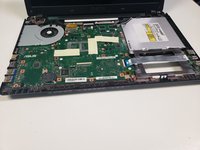
Remove screw.
-
-






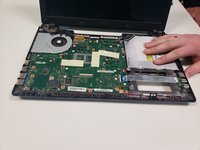
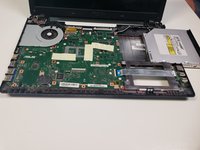
To reassemble your device, follow these instructions in reverse order.
Cancel: I did not complete this guide.
One other person completed this guide.

Team

University of North Texas, Team S1-G4, Riccardelli Fall 2018 Member of University of North Texas, Team S1-G4, Riccardelli Fall 2018
UNT-RICCARDELLI-F18S1G4
4 Members
60 Guides authored
1 Guide Comment
LOL if you want to get out drive, open dvd drive, turn laptop off, remove screw cover, unscrew, pull the drive out, done :D This is stupidly overcomplicated and unnecessary.
