
Asus K55N-DS81 Battery Replacement

Elliott Beckner and one other contributor
Last updated on Dec 19, 2018
Views: 714
View statistics:
- Past 24 Hours:
- 1
- Past 7 Days:
- 17
- Past 30 Days:
- 67
- All Time:
- 714
Comments: 0
No one has left comments on this guide. Will you be first?
Go to guide commentsCompleted: 1 2
1 person has marked this guide "completed." Will you be next?
2 people have marked this guide "completed." Including you — great job!
Favorites: 0 1
No one has favorited (and subscribed to) this guide. Will you be the first?
1 person has favorited (and subscribed to) this guide — and that's you!
Introduction
Go to step 1 ↓If the battery is discharging quickly, or will not charge, it may need replaced. This guide details how to remove the battery of the ASUS K55N-DS81 and replace it with a new one.
Prior to following this guide, please ensure that the laptop is powered off.
-
-
-
Flip the laptop over, such that the bottom of the laptop is facing upwards.
 Ask FixBot
-
-
-
-
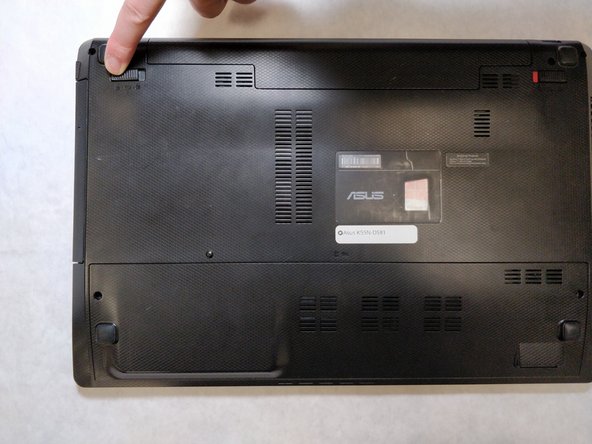
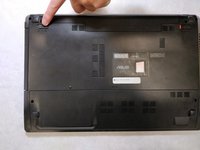
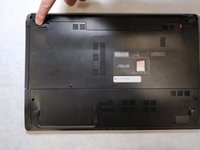
Pull the latch to the left of the battery to the left. Hold the latch open with a finger to prevent it from closing.
-
-
-
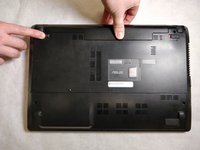
While holding the second latch from the previous step, use another hand to reach underneath the battery.
-
Pull the battery upwards and away from the laptop to remove it.
-
-




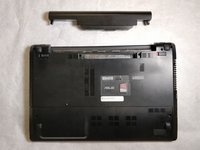
To reassemble your device, follow these instructions in reverse order.
Cancel: I did not complete this guide.
One other person completed this guide.

