
Asus K550VX Thermal Paste Replacement

Simeon Brankov and one other contributor
Last updated on Aug 9, 2025
Views: 712
View statistics:
- Past 24 Hours:
- 2
- Past 7 Days:
- 17
- Past 30 Days:
- 83
- All Time:
- 712
Comments: 0
No one has left comments on this guide. Will you be first?
Go to guide commentsCompleted: 1 2
1 person has marked this guide "completed." Will you be next?
2 people have marked this guide "completed." Including you — great job!
Favorites: 0 1
No one has favorited (and subscribed to) this guide. Will you be the first?
1 person has favorited (and subscribed to) this guide — and that's you!
Community-Contributed Guide
An awesome member of our community made this guide. It was not created by iFixit staff.
Introduction
Go to step 1 ↓Hello everyone, in this guide Ill be showing you how to open the laptop in order to change the thermal paste and possibly upgrade the RAM and SSD inside.
What you need
Tools


-
-
-
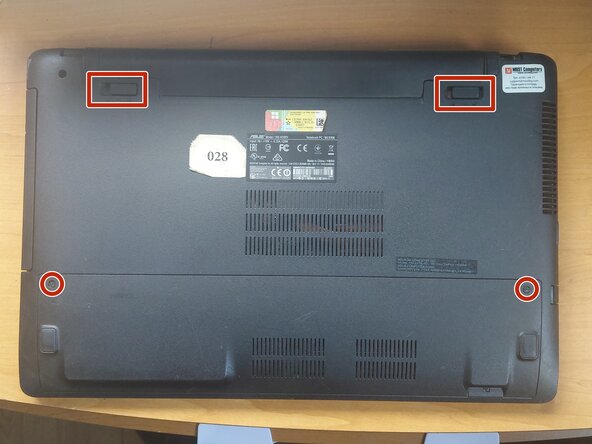
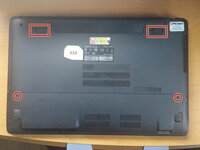
Remove the battery and unscrew the 2 screws that hold the back panel in place.
-
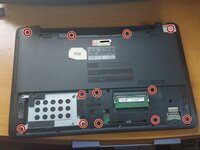
Remove the SSD and the rest of the screws that hold the palmrest.
-
Here you can upgrade the SSD and RAM before finishing the reassembly.
 Ask FixBot
-
-
-
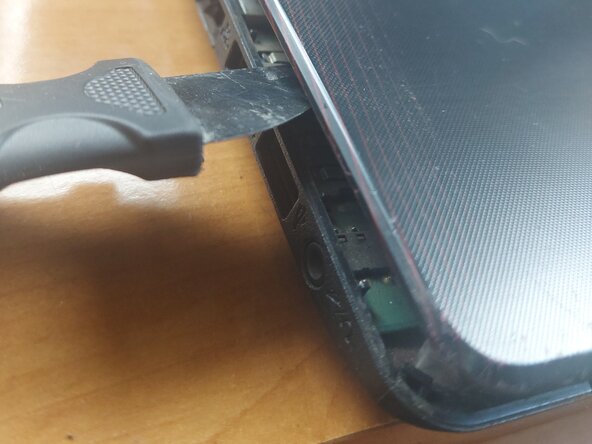
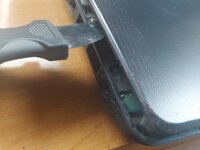
Use a prying tool to release all the clips of the palmrest.
-
Carefully disconnect the keyboard, touchpad and power button connectors.
-
Remove the palmrest to reveal the motherboard.
-
-
-
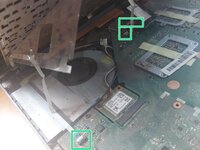
Unscrew and remove the Wi-Fi module (BLUE). The anthennas do not need to be disconnected as it can be tucked away, but if you feel more comfortable, disconnect them.
-
Unscrew and remove the DVD drive (YELLOW).
-
Disconnect all the connectors (GREEN).
-
Unscrew all the other screws and carefully lift the motherboard from the DVD connector, flip it, disconnect the power connector (ORANGE) and slide the motherboard out.
-
Unscrew the heatsink (RED) and disconnect the fan connector (PINK).
-
To clean the fan, the black tape (BLACK) has to be removed so it can be separated from the heatsink. You can use electrical tape to replace it after that. I highly recommend doing this, because there can be a lot of dust and dirt hiding between the two.
-
It is also recommended to use compressed air to remove any dust in the laptop case itself.
-
-
-
-
Clean the old thermal paste both from the cooler and the CPU+GPU. It is best to use isopropyl alcohol and cotton swabs or paper towel, but be careful not to go too hard on the CPU+GPU.
-
Don`t use too much thermal paste, just enough to cover some portion of the pad. If you have a spreader, use it. The thermal paste will apply evenly after you tighten the heatsink.
-
Last, put the heatsink back carefully and tighten the screws in order to ensure even pressure.
-
Don`t forget to plug in the fan connector!
-
-




To reassemble your device, follow these instructions in reverse order.
Cancel: I did not complete this guide.
One other person completed this guide.

