Free Shipping on Domestic Orders $75+

Asus K53E-BBR3 Optical Drive Replacement

What you need

    1. Asus K53E-BBR3 Optical Drive Replacement, Battery: step 1, image 1 of 3 Asus K53E-BBR3 Optical Drive Replacement, Battery: step 1, image 2 of 3 Asus K53E-BBR3 Optical Drive Replacement, Battery: step 1, image 3 of 3
      • Place your laptop face down in front of you.

      • Slide the button in the top right corner to the right so that the orange marker is showing.

      • Press the spring loaded latch to release the battery from the computer.

      Ask FixBot

      Add Comment

    1. Asus K53E-BBR3 Optical Drive Replacement, Back Panel: step 2, image 1 of 1
      • Unscrew two 5mm Phillips #1 screws.

      Ask FixBot

      Add Comment

    2. Asus K53E-BBR3 Optical Drive Replacement: step 3, image 1 of 1
      • Pull down and lift up on the back panel to remove it.

      Ask FixBot

      Add Comment

    1. Asus K53E-BBR3 Optical Drive Replacement, Keyboard: step 4, image 1 of 3 Asus K53E-BBR3 Optical Drive Replacement, Keyboard: step 4, image 2 of 3 Asus K53E-BBR3 Optical Drive Replacement, Keyboard: step 4, image 3 of 3
      • There is a ribbon connector underneath the keyboard. When lifting up the keyboard be gentle and carefully it up.

      • Insert the spudger into the indent near the "ESC" key.

      • Firmly wiggle the spudger across the keyboard in between the space until you can remove the keyboard.

      Ask FixBot

      Add Comment

    2. Asus K53E-BBR3 Optical Drive Replacement: step 5, image 1 of 1
      • Gently pull the ribbon cable to the right and out of its port.

      Ask FixBot

      Add Comment

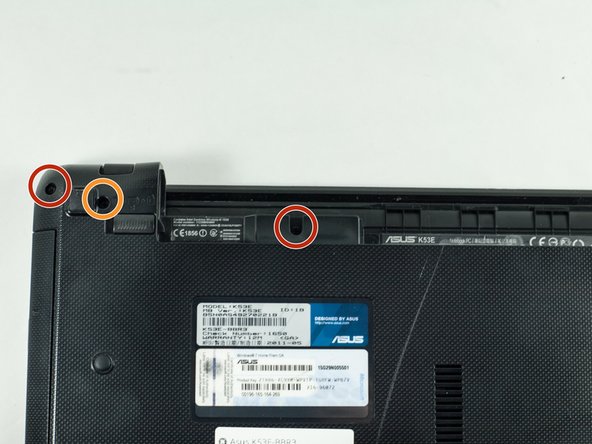
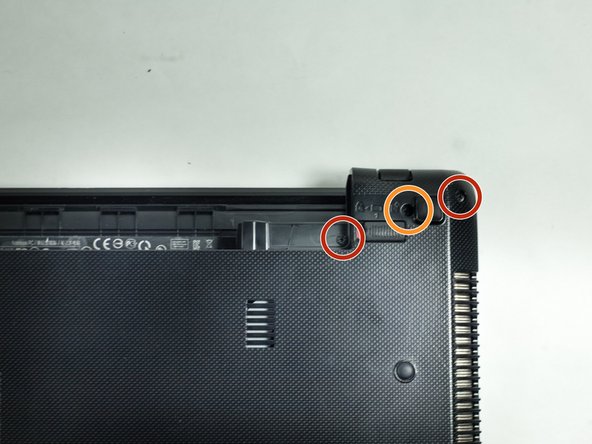
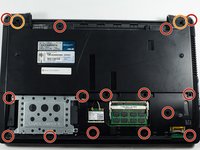
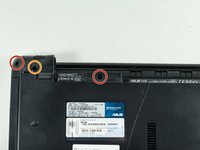
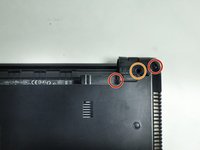
    1. Asus K53E-BBR3 Optical Drive Replacement, Optical Drive: step 6, image 1 of 3 Asus K53E-BBR3 Optical Drive Replacement, Optical Drive: step 6, image 2 of 3 Asus K53E-BBR3 Optical Drive Replacement, Optical Drive: step 6, image 3 of 3
      • On the back of the laptop unscrew the eighteen 5mm Phillips #1 screws.

      • Unscrew the two 5mm Phillips #1 screws.

      • The screws highlighted in orange are slightly thicker than those in red, however they are the same length and head type.

      Ask FixBot

      Add Comment

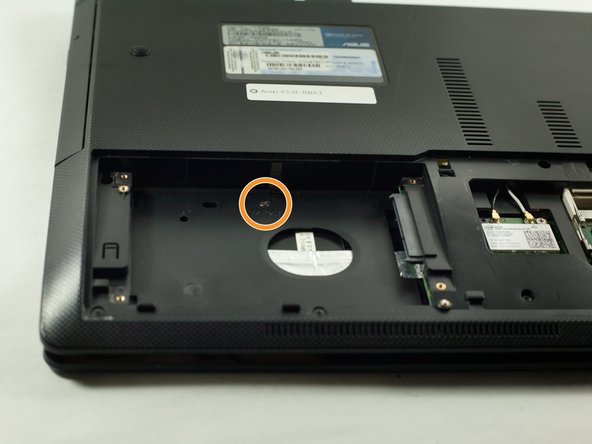
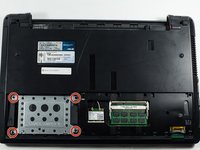
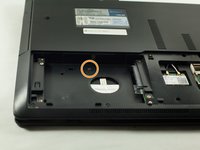
    2. Asus K53E-BBR3 Optical Drive Replacement: step 7, image 1 of 2 Asus K53E-BBR3 Optical Drive Replacement: step 7, image 2 of 2
      • Unscrew the four highlighted 5mm Phillips #1 screws, and remove the hard drive.

      • Unscrew the 3mm Phillips #1 screw.

      Ask FixBot

      Add Comment

    3. Asus K53E-BBR3 Optical Drive Replacement: step 8, image 1 of 1
      • Flip the laptop over and remove the seven 5mm Phillips #1 screws.

      Ask FixBot

      Add Comment

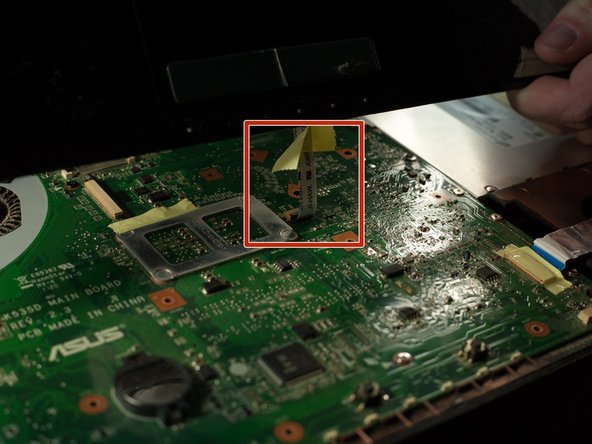
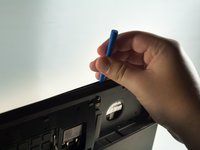
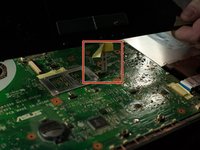
    4. Asus K53E-BBR3 Optical Drive Replacement: step 9, image 1 of 2 Asus K53E-BBR3 Optical Drive Replacement: step 9, image 2 of 2
      • There is a ribbon connector that is connecting the two halves of the laptop. So when opening the two plastic pieces be careful not to damage the cable.

      • Using the plastic opening tool, firmly pry apart the two sections of plastic.

      • Firmly shimmy the opening tool around the laptop prying the two sections of plastic apart.

      • Disconnect the highlighted ribbon cable, by pulling up on the black tab and gently pulling the cable out of its port.

      Ask FixBot

      Add Comment

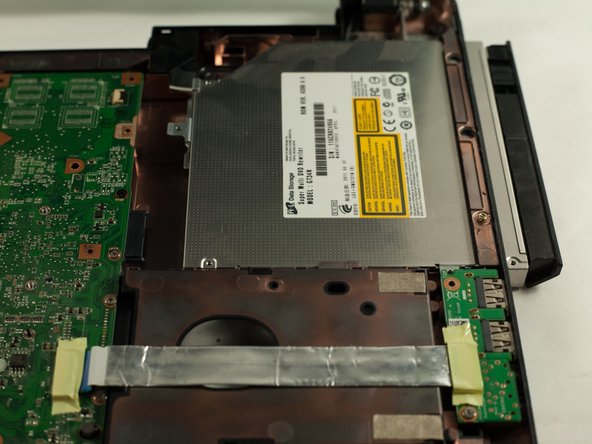
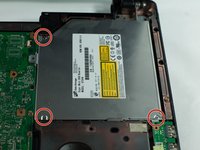
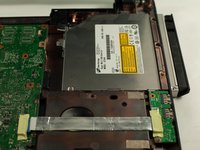
    5. Asus K53E-BBR3 Optical Drive Replacement: step 10, image 1 of 2 Asus K53E-BBR3 Optical Drive Replacement: step 10, image 2 of 2
      • Unscrew the three 3mm Phillips #0 screws.

      • Slide the optical drive to the right.

      • Remove the optical drive.

      Ask FixBot

      Add Comment

Conclusion

To reassemble your device, follow these instructions in reverse order.

Cancel: I did not complete this guide.

Jacob O'Donnell

Member since: 10/17/16

323 Reputation

3 Guides authored

Team

UMass Dartmouth, Team 1-1, Catania Fall 2016 Member of UMass Dartmouth, Team 1-1, Catania Fall 2016

UMASSD-CATANIA-F16S1G1

3 Members

83 Guides authored

0 Guide Comments

Add Comment

View Statistics:

Past 24 Hours: 3

Past 7 Days: 10

Past 30 Days: 38

All Time: 1,035