Free Shipping on Domestic Orders $75+

Asus GL551JW-AH71 Battery Replacement

  1. Asus GL551JW-AH71 Battery Replacement, Battery: step 1, image 1 of 1
    • Close the device and lay it upside down.

    • Unplug the device and make sure the device is powered off before removing the battery.

    Ask FixBot

    Add Comment

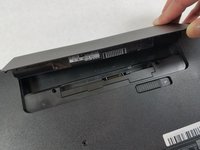
  2. Asus GL551JW-AH71 Battery Replacement: step 2, image 1 of 2 Asus GL551JW-AH71 Battery Replacement: step 2, image 2 of 2
    • Move the battery eject button to the right. The battery will be ejected.

    Ask FixBot

    Add Comment

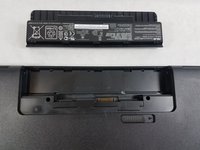
  3. Asus GL551JW-AH71 Battery Replacement: step 3, image 1 of 2 Asus GL551JW-AH71 Battery Replacement: step 3, image 2 of 2
    • Grab the battery and remove it from the device.

    Ask FixBot

    Add Comment

Conclusion

To reassemble your device, follow these instructions in reverse order.

Cancel: I did not complete this guide.

2 other people completed this guide.

William Kelley

Member since: 03/20/19

1,035 Reputation

7 Guides authored

Team

0 Guide Comments

Add Comment

View Statistics:

Past 24 Hours: 0

Past 7 Days: 3

Past 30 Days: 25

All Time: 563