
Asus G55VW DS71 Sound Bar Replacement

Blake Cangolosi and 2 other contributors
Last updated on Jan 3, 2019
Views: 665
View statistics:
- Past 24 Hours:
- 1
- Past 7 Days:
- 13
- Past 30 Days:
- 67
- All Time:
- 665
Comments: 1
1 comment on steps.
Completed: 0 1
No one has marked this guide "completed." Will you be the first?
1 person has marked this guide "completed." It's you — great job!
Favorites: 0 1
No one has favorited (and subscribed to) this guide. Will you be the first?
1 person has favorited (and subscribed to) this guide — and that's you!
Needs Better Images
Better photos will improve this guide. Help out by taking, editing, or uploading new ones!
Needs More Images
A few more images would make this guide's procedures crystal clear.
Introduction
Go to step 1 ↓The audio board is important in controlling the volume on a computer. This guide will show the necessary steps in order to replace it.
What you need
Tools


-
-
-
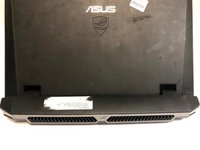
Make sure the computer is off and turn it over on its back. Push the slider all the way back until the compartment for the battery opens. Remove the battery and place it aside.
 Ask FixBot
-
-
-
-
-
Find the panel on the back of the computer. Use a Phillips #0 screwdriver to unscrew the 2 4.2mm screws on that panel. Next, lift up the panel at the indent and place it aside.
-
-
-
When the back panel is removed, disconnect the blue and black ribbon connectors exposed from the back panel.
-
-
-
-
Remove the fifteen 4.2 mm screws on the bottom of the laptop with a Phillips #0 screwdriver, under the battery, and beneath the back panel that secure the keyboard to the laptop.
-
-
-
Remove the ribbon connectors that connect the keyboard to the motherboard. The keyboard should now be completely disconnected from the laptop.
-
-
-
-
-
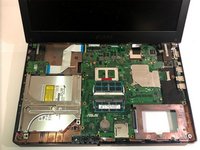
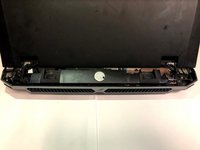
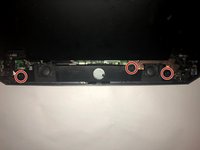
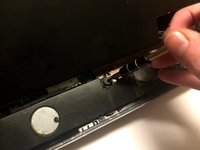
Lift the audio board and find the 2 wires connecting it to the computer.
-
Pull on those wires to disconnect them .
-


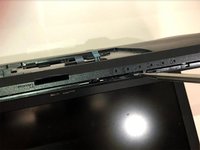
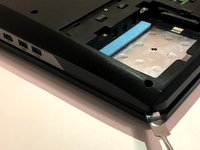


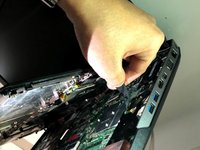
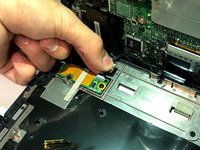





To reassemble your device, follow these instructions in reverse order.

Team

University of North Texas, Team S7-G7, Thompson Fall 2018 Member of University of North Texas, Team S7-G7, Thompson Fall 2018
UNT-THOMPSON-F18S7G7
3 Members
72 Guides authored
