
Asus Eee PC 1008ha Graphics Card Replacement

Alex Powers and 8 other contributors
Last updated on Dec 13, 2018
Views: 4.4K
View statistics:
- Past 24 Hours:
- 2
- Past 7 Days:
- 17
- Past 30 Days:
- 95
- All Time:
- 4,415
Comments: 2
2 guide comments.
Go to guide commentsCompleted: 1 2
1 person has marked this guide "completed." Will you be next?
2 people have marked this guide "completed." Including you — great job!
Favorites: 0 1
No one has favorited (and subscribed to) this guide. Will you be the first?
1 person has favorited (and subscribed to) this guide — and that's you!
Introduction
Go to step 1 ↓You will be the remove of the battery and continue to cautiously take the graphics card off of the laptop. This installation would be necessary if a user has a fried, defected, or inoperative in general.
What you need
Parts
Tools


-
-
-
Using the plastic opening tool, carefully pry the top panel from the base.
 Ask FixBot
-
-
-
Lift the side of the keyboard.
-
Disconnect the attached ribbon located underneath the keyboard.
-
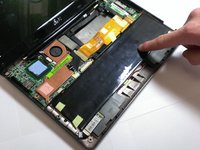
Place your index finger in the hole on the right side of the keyboard tray and lift the tray.
-
-
-
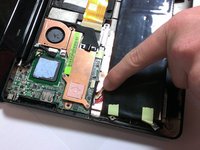
Use your fingers to lift the battery and gently disconnect the wires from the base.
-
-
-
-
-
-
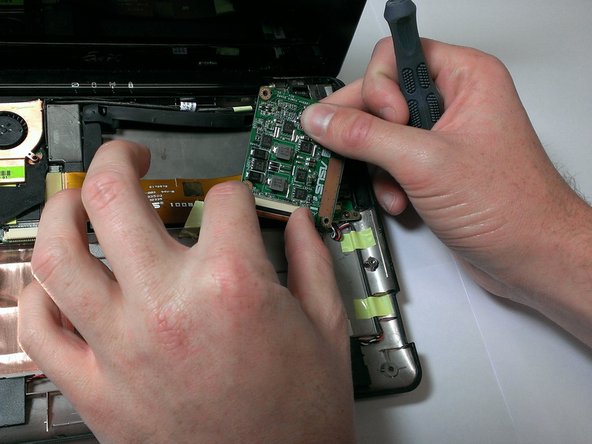
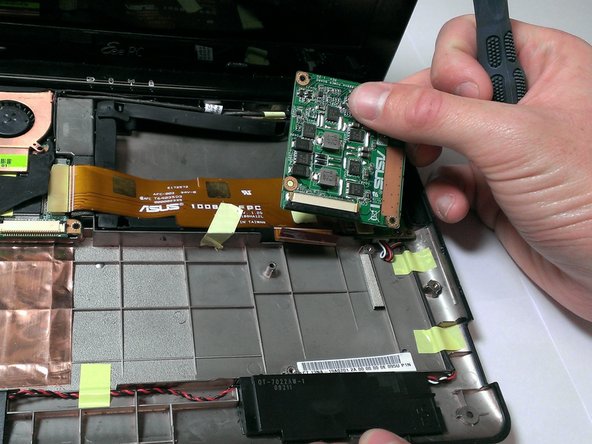
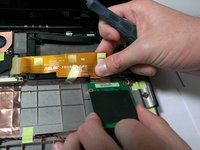
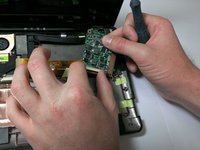
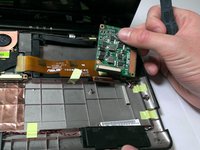
Flip over the graphics card.
-
Pull the black plastic locking mechanism towards the golden ribbon to unlock.
-
Pull out the ribbon.
-




To reassemble your device, follow these instructions in reverse order.
Cancel: I did not complete this guide.
One other person completed this guide.

Team

Cal Poly, Team 21-52, Johann Spring 2013 Member of Cal Poly, Team 21-52, Johann Spring 2013
CPSU-JOHANN-S13S21G52
4 Members
72 Guides authored
2 Guide Comments
Is this the graphics card?
Is this pc has no integrated graphics card?
Je ne suis pas certain qu'il s'agisse de la carte graphique de ce PC, je crois plutôt que la carte graphique est intégrée à la carte mère, elle ne peut donc pas être remplacée, à moins de remplacer la carte mère
J'ai moi même un soucis d'affichage sur un EEE PC 1008HA, les couleurs semblent être comme inversées, par contre sur un écran externe ça fonctionne très bien, j'ai déjà remplacé la dalle qui était cassée et le câble vidéo (dans le doute), si quelqu'un a une idée je suis preneur, j'ai pas mal investi sur la remise en état de ce portable
Merci à ceux qui répondront
David
