Introduction
If your ASUS Chromebook C214MA's keyboard is not typing the right keys or is unresponsive, you may need a keyboard replacement. This guide shows you step by step how to safely remove the keyboard and touchpad from the device so it can be replaced with a new one.
For this replacement, the device needs to be completely turned off and placed on a clean flat surface to avoid losing any small parts that will be removed.
This guide will only cover the removal of the keyboard and touchpad; follow the steps in reverse order to reassemble the device.
What you need
-
-
Remove back panel screws; remove four 7.5 mm and six 6 mm screws using a Phillips #0 screwdriver.
 Ask FixBot
-
-
-
Remove battery; Slide the locking pin open and remove the battery from the motherboard, using the spudger tool or tweezers
-
-
-
-
Remove 4, 5mm screws from the bottom cover panel, using the phillips screwdriver
-
-
-
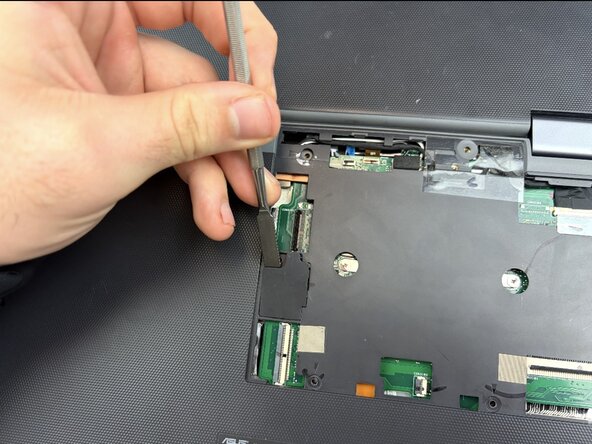
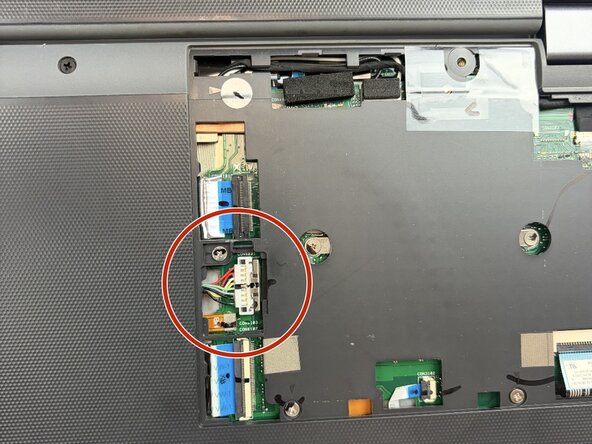
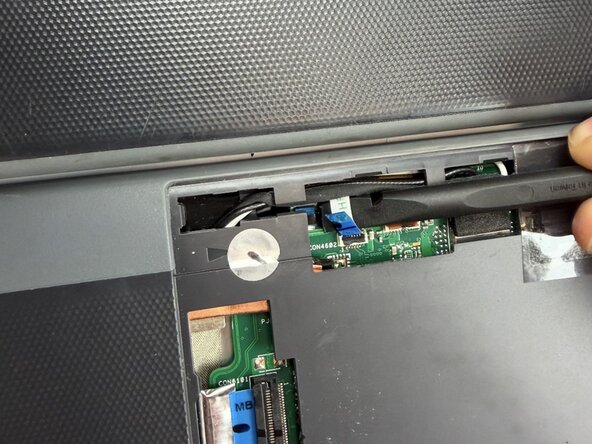
Remove the touchpad, microphone, palm rest, camera ribbons, and wifi antennas. Using a spudger and tweezers, pull each ribbon up to disconnect
-
-
-
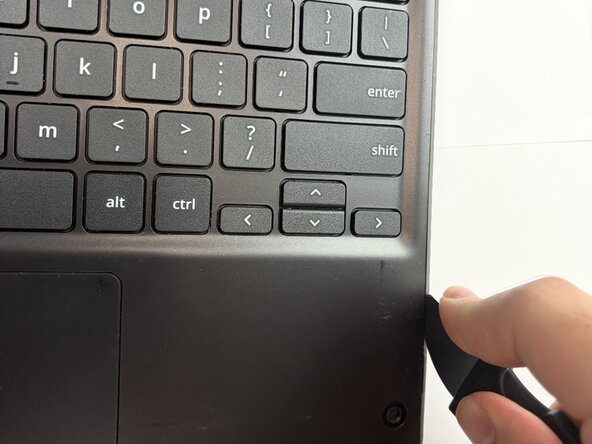
Remove the palm rest by flipping the Chromebook over and prying the front palmrest off using a spudger tool
-
-
-
Lift the palmrest up and pull back the tape, and pull the touchpad cable free, using tweezers
-
-
-
Once the new keyboard is replaced, place it back into the Chromebook shell and follow these steps in reverse order to successfully put the Chromebook back together.
-









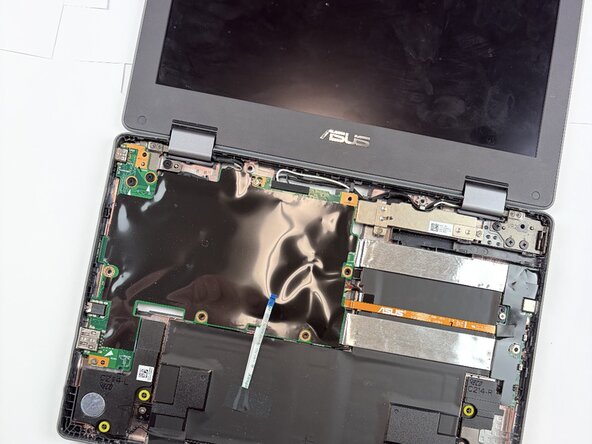


To reassemble your device, follow the above steps in reverse order.
Take your e-waste to an R2 or e-Stewards certified recycler.
Repair didn’t go as planned? Try some basic troubleshooting or ask our Answers community for help.

Team

Texas Tech, Team 41-2, Johansen Spring 2026 Member of Texas Tech, Team 41-2, Johansen Spring 2026
TTU-JOHANSEN-S26S41G2
4 Members
6 Guides authored
