
Asus Chromebook C300M Mousepad Replacement

Rachel Cadle and 3 other contributors
Last updated on Jun 27, 2019
Views: 688
View statistics:
- Past 24 Hours:
- 1
- Past 7 Days:
- 11
- Past 30 Days:
- 68
- All Time:
- 688
Comments: 0
No one has left comments on this guide. Will you be first?
Go to guide commentsCompleted: 1 2
1 person has marked this guide "completed." Will you be next?
2 people have marked this guide "completed." Including you — great job!
Favorites: 0 1
No one has favorited (and subscribed to) this guide. Will you be the first?
1 person has favorited (and subscribed to) this guide — and that's you!
Introduction
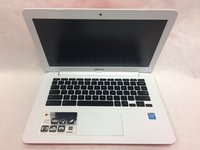
Go to step 1 ↓This repair guide will give step-by-step instructions on how to remove the back of the Chromebook to remove and replace the Mousepad.
What you need


-
-
-
Flip the Chromebook on its front.
-
Remove the screws on the back using the Phillips #1 screwdriver.
-
Remove the six 8mm screws.
-
Remove the five 5mm screws.
 Ask FixBot
-
-
-
Separate the plastic case from the keyboard at the seam by using a plastic opening tool.
-
-
-
-
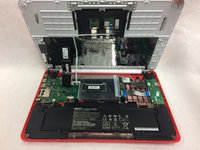
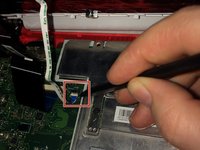
Disconnect the small ribbon cable by lifting the flap and sliding it out of the motherboard input toward the battery using a spudger.
-
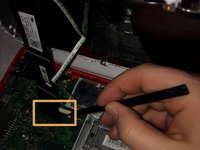
Disconnect the wide ribbon cable by lifting the flap and sliding it out of the motherboard input toward the battery using spudger.
-
-
-
Remove the keyboard and flip it onto its front. You should see the back of the mousepad.
-
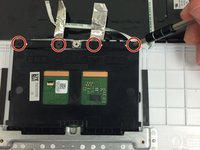
Lift the foil strips to reveal two hidden screws. Then remove all four 2mm screws from the top of the trackpad with the Phillips #1 screwdriver.
-
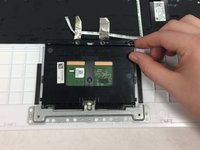
Remove the mousepad by sliding it upward.
-
-




To reassemble your device, follow these instructions in reverse order.
Cancel: I did not complete this guide.
One other person completed this guide.

Team

IUPUI, Team S3-G2, Harley Spring 2019 Member of IUPUI, Team S3-G2, Harley Spring 2019
IUPUI-HARLEY-S19S3G2
3 Members
24 Guides authored
