
Asus Chromebook C201 Motherboard Replacement

Bryan Franz and 4 other contributors
Last updated on May 7, 2024
Views: 3.8K
View statistics:
- Past 24 Hours:
- 2
- Past 7 Days:
- 20
- Past 30 Days:
- 92
- All Time:
- 3,845
Comments: 3
2 comments on steps, 1 guide comment.
Go to guide commentsCompleted: 7 8
7 people have marked this guide "completed." Will you be next?
8 people have marked this guide "completed." Including you — great job!
Favorites: 0 1
No one has favorited (and subscribed to) this guide. Will you be the first?
1 person has favorited (and subscribed to) this guide — and that's you!
Introduction
Go to step 1 ↓If your Chromebook is not working correctly, then this guide is going to help you get your laptop working again. When working on replacing your motherboard, be sure to ground yourself. Static can short circuit your Chromebook, so be sure to either wear an anti-static wrist strap or work on a surface that doesn't generate static electricity, like wood, tile, or other hard floors.
What you need
Tools


-
-
-
Flip the laptop upside down with the rear end of the computer away from you.
 Ask FixBot
-
-
-
Remove the two rear rubber feet by using one of the small, blue plastic spudgers.
-
-
-
Use the J0 screwdriver to remove the eight 5mm black screws on the bottom of the laptop, which includes the two that were hidden under the rear rubber feet.
-
-
-
Turn the laptop on its side. Use a small, blue opening tool to pry the keyboard cover and laptop apart. Begin from the top right, next to the power button, and slowly work your way around to the opposite side until the keyboard cover is detached.
-
-
-
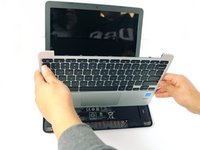
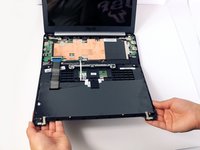
Gently flip the keyboard cover away from the laptop. Rest it safely upside down so the cables are not strained and are easily accessible.
-
-
-
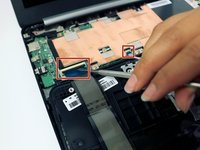
Use the metal spudger to gently pry up the small tabs that are clamping down on the keyboard cables.
-
-
-
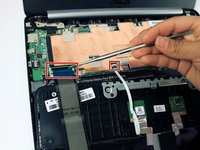
Carefully pull the keyboard cables out of the connecting ports that are attached to the motherboard.
-
-
-
-
Tool used on this step:Tweezers$4.99
-
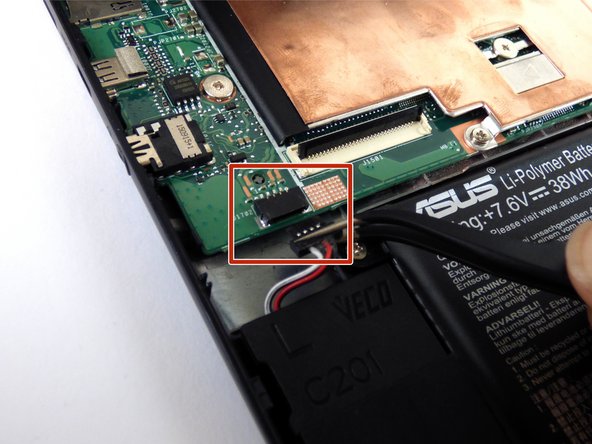
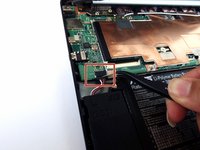
Use tweezers to disconnect the LCD cable from the motherboard.
-
-
-
Use the tweezers to disconnect both wifi antenna cables from the motherboard.
-
-
-
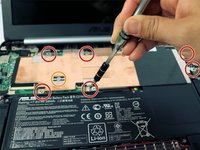
Use a J0 Phillips screwdriver to remove the 6, 4mm small head silver screws.
-
Use the same J0 Phillips screwdriver to remove the 4mm large head silver screw from the head shield.
-
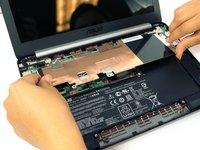
Remove the heat shield.
-
-
-
-
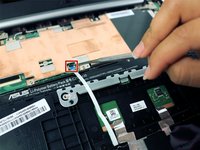
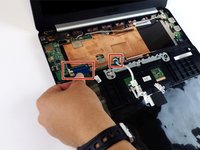
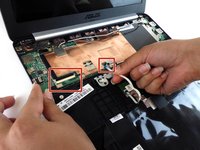
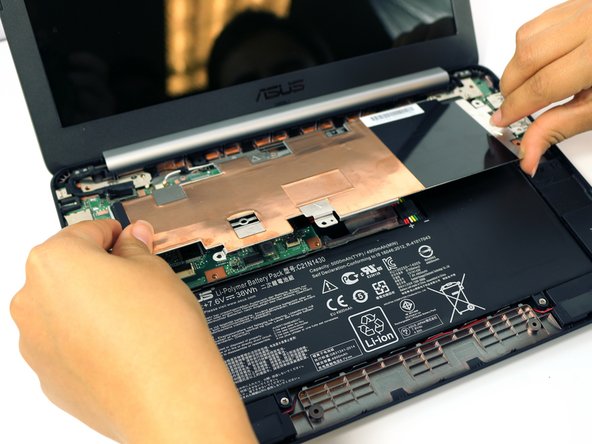
Use a J0 Phillips screwdriver to remove the single, silver, 4mm screw on the motherboard.
-
-










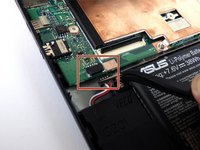


To reassemble your device, follow these instructions in reverse order.
Cancel: I did not complete this guide.
7 other people completed this guide.

Team

USF Tampa, Team 2-51, Cagle Spring 2016 Member of USF Tampa, Team 2-51, Cagle Spring 2016
USFT-CAGLE-S16S2G51
4 Members
60 Guides authored
1 Guide Comment
Hello
Where can we find this motherboard for the asus C201PA chromebook ?
