Free Shipping on Domestic Orders $75+

Asus CM1745 Power Supply Unit Replacement

What you need

  1. Asus CM1745 Power Supply Unit Replacement, Powering Off: step 1, image 1 of 1
    • Before opening your desktop PC, make sure to turn it off using the power button.

    • After powering it off, unplug the power cable.

  2. Asus CM1745 Power Supply Unit Replacement, Side Panel: step 2, image 1 of 1
    • Unscrew the 2 Phillips screws as shown.

    • After removing screws, slide the panel off using the handle.

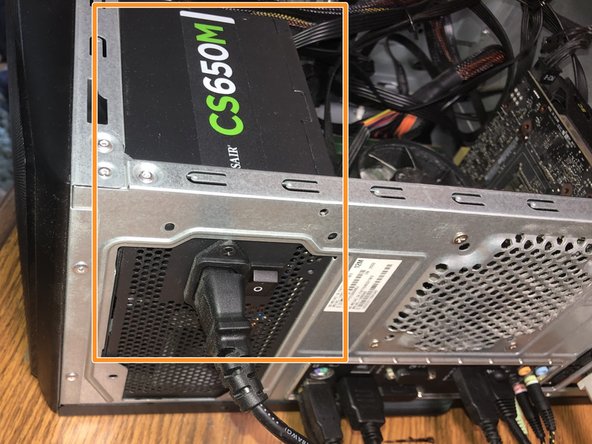
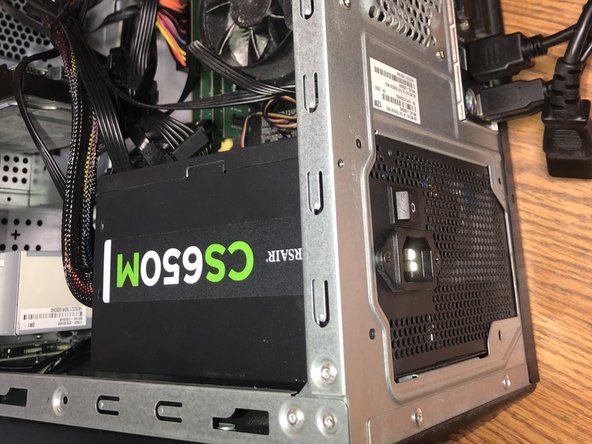
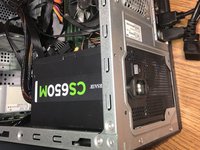
  3. Asus CM1745 Power Supply Unit Replacement, Power Supply: step 3, image 1 of 2 Asus CM1745 Power Supply Unit Replacement, Power Supply: step 3, image 2 of 2
    • Locate the power supply unit which was connected to the cable unplugged in Step 1.

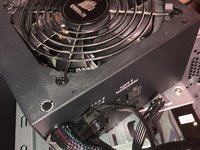
  4. Asus CM1745 Power Supply Unit Replacement, PSU Screws: step 4, image 1 of 1
    • Unscrew Phillips screws from back of the desktop PC.

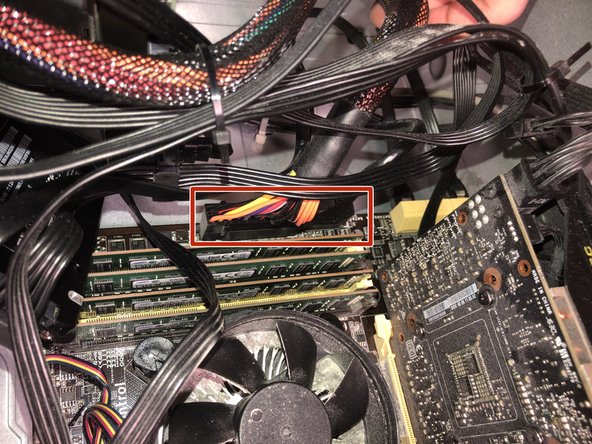
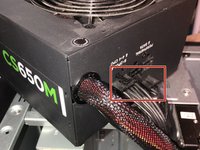
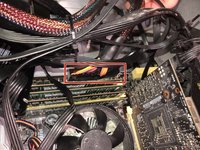
  5. Asus CM1745 Power Supply Unit Replacement, PSU Cables: step 5, image 1 of 2 Asus CM1745 Power Supply Unit Replacement, PSU Cables: step 5, image 2 of 2
    • Unplug all attached cables from the Power Supply, then unplug the cable attached to the Motherboard inside the PC.

  6. Asus CM1745 Power Supply Unit Replacement, Replacement: step 6, image 1 of 2 Asus CM1745 Power Supply Unit Replacement, Replacement: step 6, image 2 of 2
    • Once unplugged, you can plug in the cables into the new Power Supply and Motherboard.

Conclusion

To reassemble your device, follow these instructions in reverse order.

3 other people completed this guide.

Aaron Stanfield

Member since: 03/28/21

220 Reputation

1 Guide authored

0 Guide Comments

Add Comment

View Statistics:

Past 24 Hours: 3

Past 7 Days: 19

Past 30 Days: 69

All Time: 1,343