Introduction
This guide will show the user how to remove the front secret trim. The only tool needed is a spudger which will be used to push up the tabs connecting the screen to the base of the laptop.
What you need
-
-
-
Push the two tabs located below the battery in towards each other using your thumbs.
-
-
-
-
Continue to push the battery upwards until it is completely separated from the laptop as shown.
-
-
-
-
Push up on the back of the tabs that cover the hinges connecting the screen to the base of the laptop.
-
While pushing up on the back of the tabs, insert the spudger into the opening created from pushing on the tabs until the tab detaches.
-
-
-
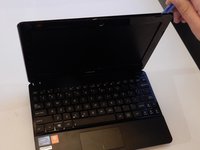
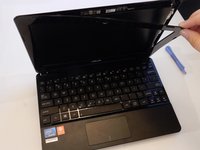
Once the case has been separated from the laptop, pull the case off completely, using the plastic opening tool or your fingers.
-
-
-
When the screen case has been successfully removed, the laptop should resemble the photo shown here.
-
-

 Ask FixBot



To reassemble your device, follow these instructions in reverse order.
Cancel: I did not complete this guide.
2 other people completed this guide.

Team

Clemson, Team 7-4, Benson Spring 2016 Member of Clemson, Team 7-4, Benson Spring 2016
CLEM-BENSON-S16S7G4
5 Members
84 Guides authored
