Introduction
Prebuilt gaming computers, such as the ARMOURY RTARU00047, come with a Wi-Fi card that is outdated for gaming needs, but it is assumed that the user already has an Ethernet connection. This document is intended to provide specific information for different models of gaming computers on replacing the Wi-Fi card within an hour with only one tool. This will prevent users from losing their precious time and money on repairing the computer.
What you need
-
-
-
Turn off the PC using the power switch on the back and unplug all cables.
-
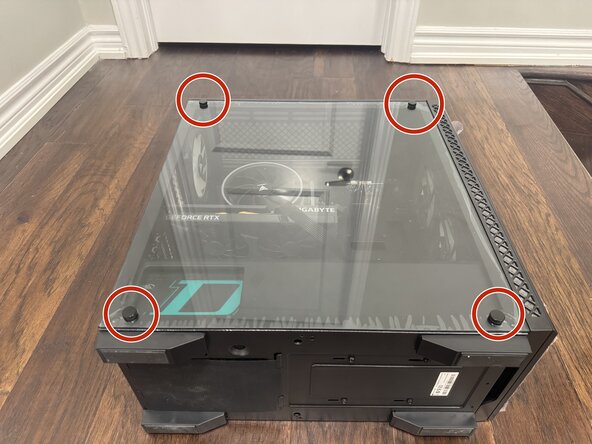
Lay the PC on its side and unscrew the glass panel to access the internal components.
-
Place the screws in a safe location.
-
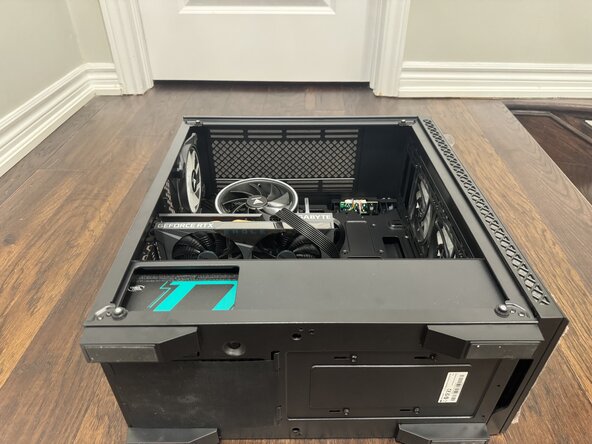
Remove the glass panel.
 Ask FixBot
-
-
-
Use a Phillips #0 screwdriver to remove the back panel screws circled in red.
-
Loosen the screw that will secure the new Wi-Fi card.
-
-
-
In this guide, you will be doing all the work on the motherboard of the PC.
-
Specifically:
-
The PCIe slot located under the fan.
-
and the USB headings under the graphics card.
-
-
-
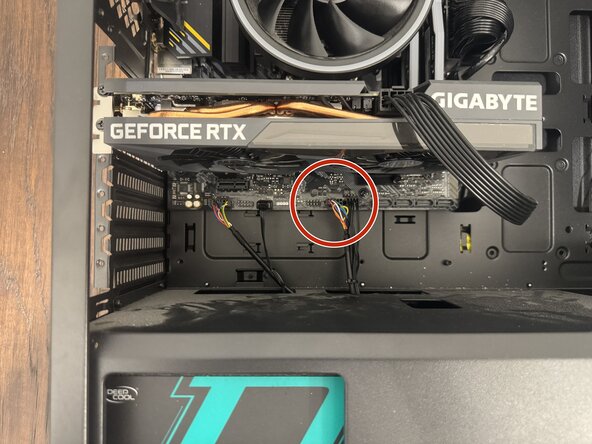
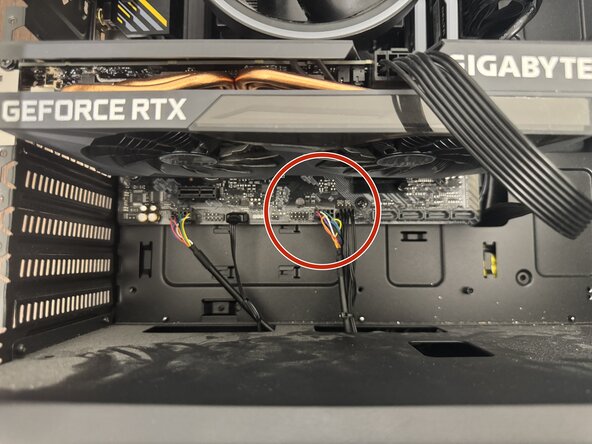
Disconnect the Wi-Fi card cable from the USB header.
-
Identify the Wi-Fi cable by locating the multicolored wire beside a black cable.
-
Note that the cable connects to the USB header labeled “USB 3,” which will be used for the new Wi-Fi card.
-
-
-
-
Your new WiFi card will come with the card, and a pair of antennas that you will screw in the back of the PC.
-
The PCIe slot will be vacant right beside your SSD, and under the fan.
-
Insert the new WiFi card in the PCIe slot.
-
-
-
Insert the new Wi-Fi card, use your Philips #0 screwdriver to mount the card for extra stability.
-
Screw the back panel on again.
-
-
-
Reconnect all cables and power on the PC.
-
Go into settings and change your WiFi settings.
-
Change your WiFi type to "WiFi 2".
-
Start an internet speed test to confirm the WiFi card is working.
-
Enjoy your new connectivity!
-
-







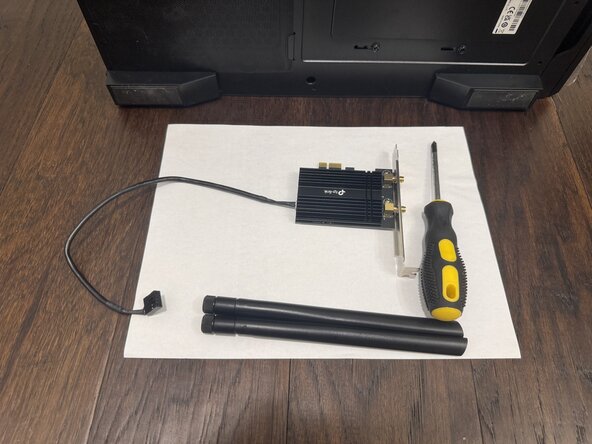


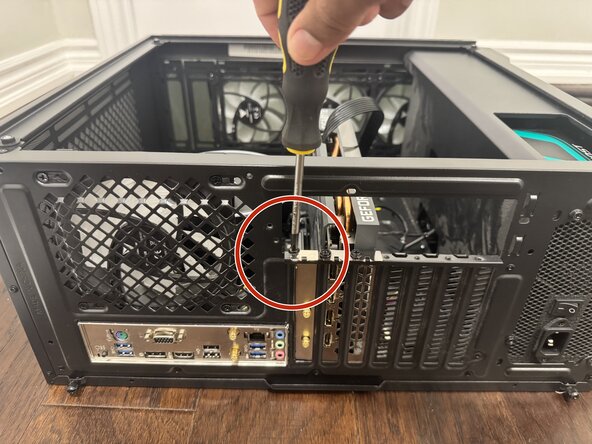


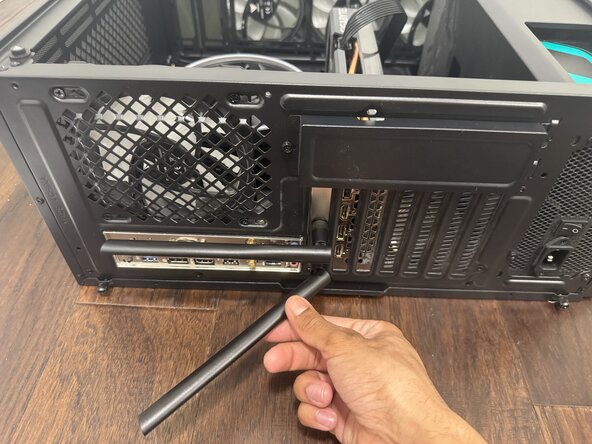


After 10 simple steps, your new WiFi card is ready to go! Enjoy the new speeds.

Team

York University, Team M-10, Woodhouse Winter 2026 Member of York University, Team M-10, Woodhouse Winter 2026
YORK-WOODHOUSE-W26SMG10
2 Members
12 Guides authored
