
Apple TV 3rd Generation Status LED Replacement

Vincent Monteil and 4 other contributors
Last updated on Mar 13, 2021
Views: 3.9K
View statistics:
- Past 24 Hours:
- 5
- Past 7 Days:
- 32
- Past 30 Days:
- 121
- All Time:
- 3,929
Comments: 3
2 comments on steps, 1 guide comment.
Go to guide commentsCompleted: 4 5
4 people have marked this guide "completed." Will you be next?
5 people have marked this guide "completed." Including you — great job!
Favorites: 3 4
3 people have favorited (and subscribed to) this guide. Will you be next?
4 people have favorited (and subscribed to) this guide — including you!
Community-Contributed Guide
An awesome member of our community made this guide. It was not created by iFixit staff.
Missing Steps
Oops! This guide is currently missing one or more important steps.
What you need
Tools
-
-
Spudger4.9


-
-
-
As the device base is firmly clipped, insert two metal spudgers to gently release the first clips.
 Ask FixBot
-
-
-
Continue releasing the last plastic clips with your hands taking care not to break any of the plastic elements attached to the base.
-
-
-
-
-
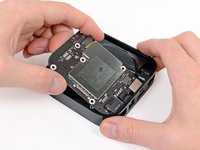
Use a philips screwdriver to remove the 5 screws securing the metal heat sink. On Rev A (A1469) you need a T7 srewdriver
-
-
-
-
-
-
Before you remove completely the power supply, unscrew the T6 screws on each side of the socket.
-
You may now be able to remove the power supply with a spudger.
-
Do not pull the wires to remove the power supply. The connector is fragile.
-
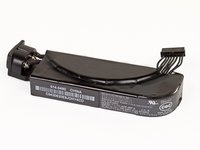
The rating of the power supply is 3.4V at 1.75A, which is identical to the 2nd Gen Apple TV's 5.95 watts.
-
-
-
-
-
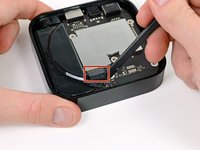
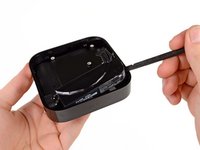
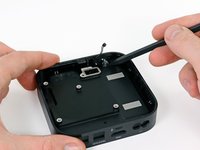
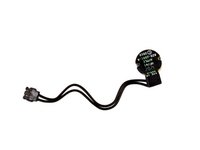
The last remaining part in the Apple TV is the status LED. You can remove this part with your plastic spudger.
-
-






To reassemble your device, follow these instructions in reverse order.
Cancel: I did not complete this guide.
4 other people completed this guide.

1 Guide Comment
Step 2: “caring not to break….”. Thanks, great guide. David
