Introduction
This guide will show you how to replace the driver in the Anker Soundcore Life Q30 headphones. The driver is what creates the sound you hear in the headphones, so a faulty driver can cause audio to become distorted or not play at all. Replacing these will require you to solder the replacement driver to the main circuit board. Before you begin, make sure to turn off the headphones and unplug them from their charger.
What you need
-
-
Orient the headphones such that the headphone speakers are closest to you, and the headband is furthest from you.
-
Adjust the folding hinge to where the speakers are facing up.
-
Make sure you can easily reach the edge where the cushion connects to the rest of the headphones.
-
-
-
Using one hand, hold the right side of the headphones still.
-
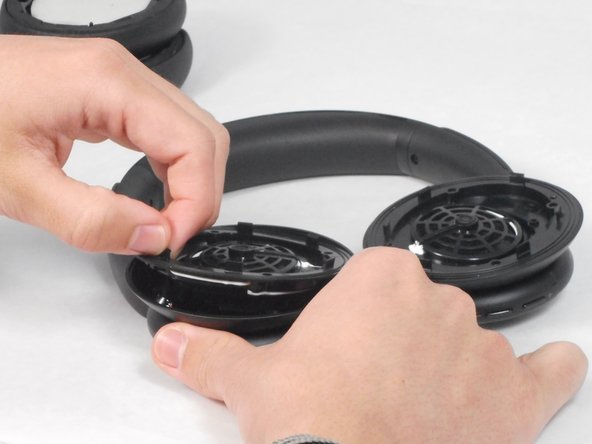
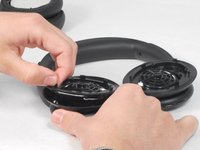
Using your other hand, slide the plastic opening tool in the edge along the cushion.
-
Gently pry the cushion off using the plastic opening tool.
-
Set the right ear cushion aside and repeat this step for the left side of the headphones.
-
-


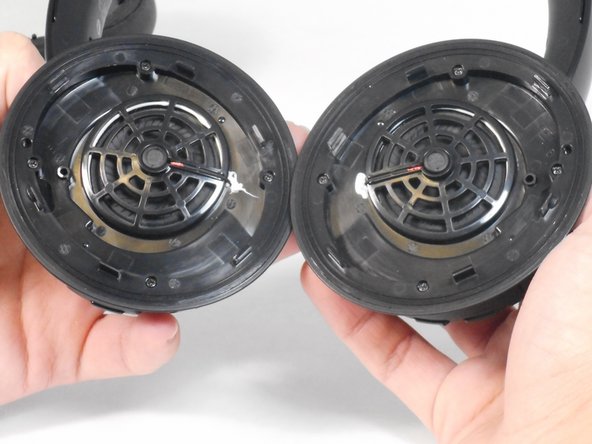

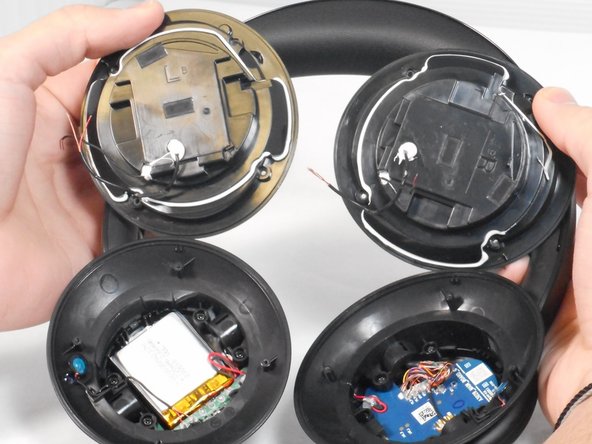
Solder your replacement driver into place. This guide will give you instructions on how to solder. From there, follow these steps in reverse order to reassemble the device.
Cancel: I did not complete this guide.
One other person completed this guide.

Team

University of Memphis, Team 4-1, Sneed Spring 2024 Member of University of Memphis, Team 4-1, Sneed Spring 2024
UM-SNEED-S24S4G1
4 Members
16 Guides authored
3 Guide Comments
Where do I find a replacement driver?
My Anker headphones have an issue where the left earbud isn't working. What diagnostic steps would you recommend to identify and resolve this problem?
This guide is incomplete. Replacing the driver involves removing the glue that can be seen surrounding a plastic cup where the driver lies.
In the images it's white, in my case it was dark-yellow. It's extremely difficult to open this up, I had to use a heat gun, screwdrivers and a knife, ended up severely deforming the plastic.
The driver is easy to replace after and just involves soldering.
