
Anker SoundCore 2 Motherboard Replacement

Last updated on Jun 8, 2021
Views: 2.6K
View statistics:
- Past 24 Hours:
- 2
- Past 7 Days:
- 14
- Past 30 Days:
- 97
- All Time:
- 2,635
Comments: 7
4 comments on steps, 3 guide comments.
Go to guide commentsCompleted: 1 2
1 person has marked this guide "completed." Will you be next?
2 people have marked this guide "completed." Including you — great job!
Favorites: 0 1
No one has favorited (and subscribed to) this guide. Will you be the first?
1 person has favorited (and subscribed to) this guide — and that's you!
Better Introduction
Improve this guide by completing or revising its introduction.
Missing Details
Some of this guide's details are missing. Help users by adding tools, difficulty, or time.
What you need
Tools
-
Spudger4.9


-
-
-
Insert a spudger between the front panel and the body of the speaker.
-
Pry around the edges of the front panel with the spudger to pry it away from the speaker body.
 Ask FixBot
-
-
-
-
-
Remove eight 10 mm screws from the speaker mount using a Phillips #0 screwdriver.
-
Insert a spudger in the gap between the speaker mount and speaker body to remove the speaker mount.
-
Use your hand to remove the speakers.
-
-
-
-
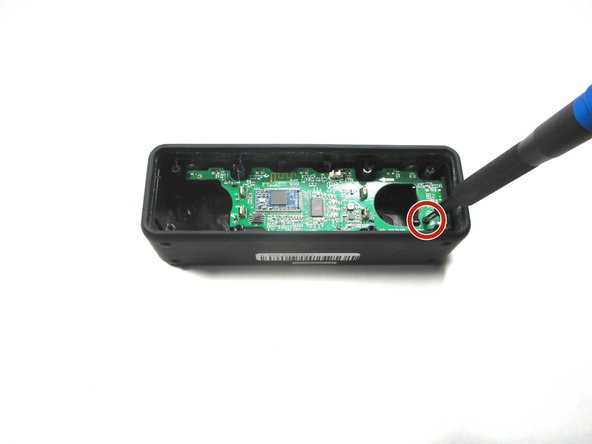
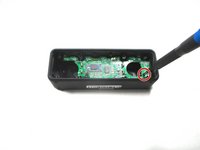
Remove the 10 mm screw that is holding the motherboard in place using a Phillips #0 screwdriver.
-
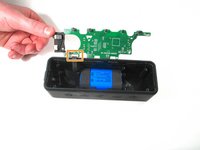
Flip up the motherboard and disconnect the cord that connects the motherboard and the battery.
-
-



To reassemble your device, follow these instructions in reverse order.
Cancel: I did not complete this guide.
One other person completed this guide.


3 Guide Comments
Where can I buy the C34 and ESD4?
Do you know where to fond an Anker motherboard please?
