Introduction
hello all, today we will try to repair the angelcare baby monitor.
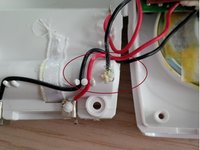
two rechargeable battery's exploded, the acid was around an electric power cable. so there were two problems :
1 bad connection
2 battery damage.
we will check also the second unit.
What you need
-
-
-
first remove the 2 screws at the green plastic plate.
 Ask FixBot
-
-
-
remove the plastic plate ( battery compartment)
-
you'll see that there are 2 more screws. Remove them.
-
-
-
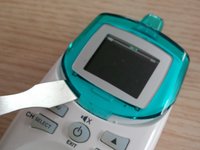
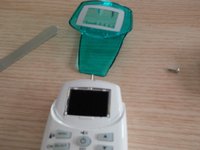
now gently remove the green plastic plate arrounf the baby monitor ( arround the screen) use a spudger to click it open.
-
-
-
-
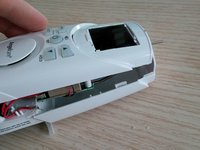
now open the monitor by clicking it open or slide it open. Sometimes its easier to use a spudger.
-
-
-
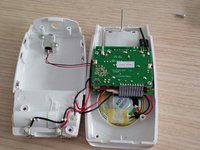
2 battery's were exploded so the acid was on the black electric power wire.
-
use a cotton swab with a little bit of destilled water.
-
-
-
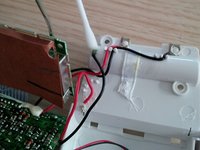
pull the first PCB up and remove the screws of the second PCB.
-
after removing the two PCB's, clean the acid on the PCB.
-
after cleaning the PCB's put it al together again.
-
-
-
first remove the battery lid. 1 screw.
-
slide it out like you see in picture
-
remove battery's
-
-








To reassemble your device, follow these instructions in reverse order.
Cancel: I did not complete this guide.
6 other people completed this guide.

13 Guide Comments
Hi. At my Angelcare (AC401) parent unit the screen has slowly become worse and worse. At first, parts of the temperature figures dissapeared, then the symbols around and now I no longer see anything... But the unit still works! (And alert me if the baby's crying) What do you think, is there anything I can do or do I need to buy a new one?
