Introduction
The shoulder buttons are located on the back part of the case above the battery. These buttons are held by Phillips screws. This guide demonstrates how to replaces the shoulder buttons.
What you need
-
-
Remove the SD card located on the right side of the device by pushing into the SD card slot and pulling the card out.
-
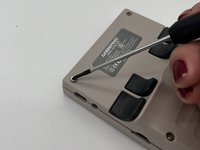
Remove the six 1.2 mm screws that secure the back case with a 1.5 Hex Bit screwdriver.
 Ask FixBot
-
-
-
Insert an opening tool into the MicroSD card slot and twist it clockwise to begin releasing the rear case.
-
Pry around the entire perimeter until the rear case fully releases.
-
Remove the rear case.
-
-
-
-
Use your fingernails or tweezers to gently remove the battery connector from its socket.
-
-
-
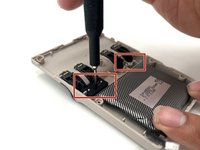
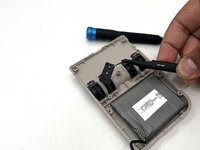
Remove the two 1 mm Phillips screws that secure each of the two the shoulder button brackets.
-
Remove the plates with your index finger and thumb or with tweezers.
-
-
-
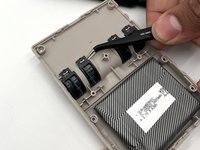
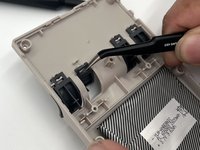
Remove the four shoulder buttons with your index finger and thumb or tweezers by pushing the hooks upwards then down the clasps.
-






To reassemble your device, follow the above steps in reverse order.
Take your e-waste to an R2 or e-Stewards certified recycler.
Repair didn’t go as planned? Try some basic troubleshooting or ask our Answers community for help.
Cancel: I did not complete this guide.
One other person completed this guide.

Team

University of North Texas, Team 6-16, Kilpatrick Fall 2024 Member of University of North Texas, Team 6-16, Kilpatrick Fall 2024
UNT-KILPATRICK-F24S6G16
3 Members
5 Guides authored
