
Anbernic RG353V Battery Replacement

Konnor and 2 other contributors
Last updated on Dec 19, 2024
Views: 4.1K
View statistics:
- Past 24 Hours:
- 4
- Past 7 Days:
- 50
- Past 30 Days:
- 203
- All Time:
- 4,084
Comments: 0
No one has left comments on this guide. Will you be first?
Go to guide commentsCompleted: 1 2
1 person has marked this guide "completed." Will you be next?
2 people have marked this guide "completed." Including you — great job!
Favorites: 0 1
No one has favorited (and subscribed to) this guide. Will you be the first?
1 person has favorited (and subscribed to) this guide — and that's you!
Featured Student Guide
This guide has been the hard work of our awesome students and is found to be exceptionally cool by the iFixit staff.
Introduction
Go to step 1 ↓The battery supplies the power to the device. If the battery is malfunctioning, it could result in issues that are listed in this troubleshooting guide. Replacing the battery only requires the user to remove the outer case screws and two additional wires, making it one of the easier guides to follow. This guide details how to replace the Battery on the Anbernic RG353V.
Before you begin this repair, make sure to power off your device and unplug it from the charging adapter.
If you encounter a swollen battery or it looks like a little pillow when open up your device to replace the old battery, follow these safety tips. A swollen battery can be dangerous and a health hazard.
What you need
Tools
-
-
Spudger4.9
-


-
-
-
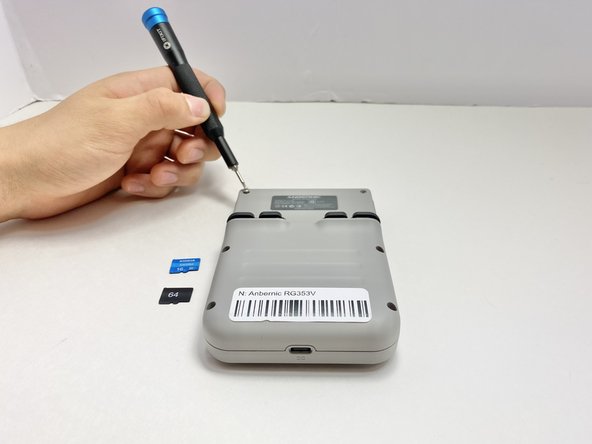
Use a 2 mm Hex screwdriver to remove the six 7 mm screws from the back case of the handheld game.
-
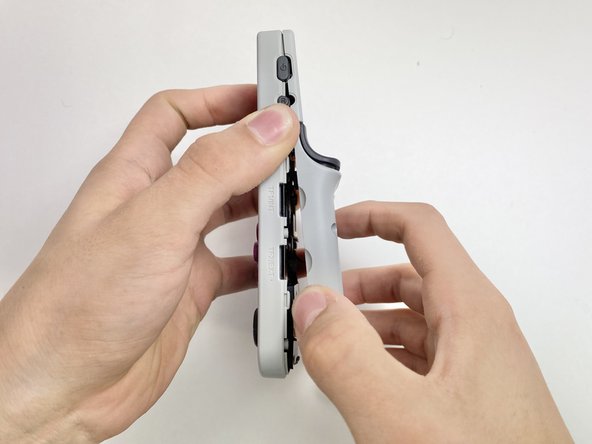
Use an opening tool to pry the top and bottom of the game apart. Work the tool around the perimeter of the device between the seam to release the snap tabs.
-
Separate the top and bottom cases gently.
 Ask FixBot
-
-
-
Push on alternating sides of the connector to disconnect the battery wire from the main circuit board.
-
If that doesn't work, use a pair of tweezers to firmly grip the sides of the connector and pull straight away from the socket. Hold the tweezers closer to the connector to get a better grip.
-
To disconnect the cable coaxial cable, slide a thin, ESD-safe pry tool or angled tweezers under the metal neck of the connector (as close to the head as possible) and lift straight up from the board.
-
-
-
-
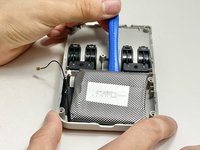
Use an opening tool or spudger to gently pry the battery off the adhesive tape holding it in place.
-
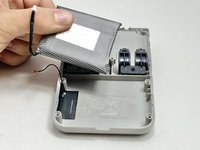
Remove the battery.
-
-



To reassemble your device, follow these instructions in reverse order. Apply new adhesive where necessary after cleaning the relevant areas with isopropyl alcohol (>90%). Take your e-waste to an R2 or e-Stewards certified recycler.
Cancel: I did not complete this guide.
One other person completed this guide.

Team

Austin Community College, Team 8-1, Watkins Fall 2024 Member of Austin Community College, Team 8-1, Watkins Fall 2024
AUSTINCC-WATKINS-F24S8G1
5 Members
84 Guides authored
