Introduction
The screen of your Anbernic RG 40XXV produces the gaming visuals to interact with the device. If your screen is damaged, cracked, or faulty, it may need to be replaced. If the device will not power on, follow this troubleshooting guide.
This guide will walk you through how to replace the screen of your Anbernic RG 40XXV. This is the most challenging part of the device to replace, with an almost complete disassembly of the device.
Before beginning the repair, ensure the device is fully powered off and disconnected from the charger.
What you need
-
-
-
Remove the micro SD card located on the left and right sides of the device by pushing into the SD card slot and pulling the card out.
-
Unscrew all six 7.5 mm screws on the backside of the case using a 1.5 mm hex screwdriver.
 Ask FixBot
-
-
-
Take apart the case by separating the front and back sides using an iFixit opening tool.
-
-
-
Disconnect the battery connection cable by gently pulling it away with angled tweezers from the slot that connects the cable to the motherboard.
-
-
-
-
-
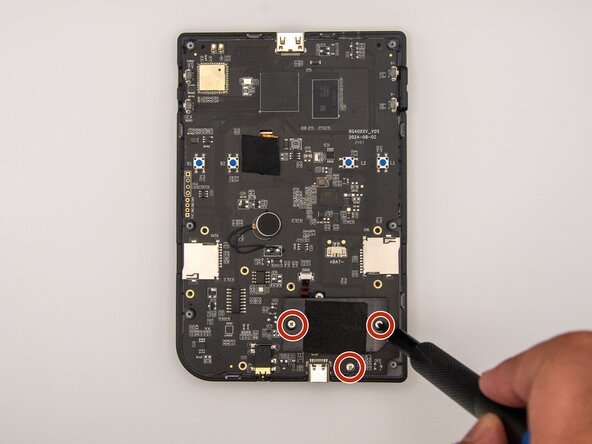
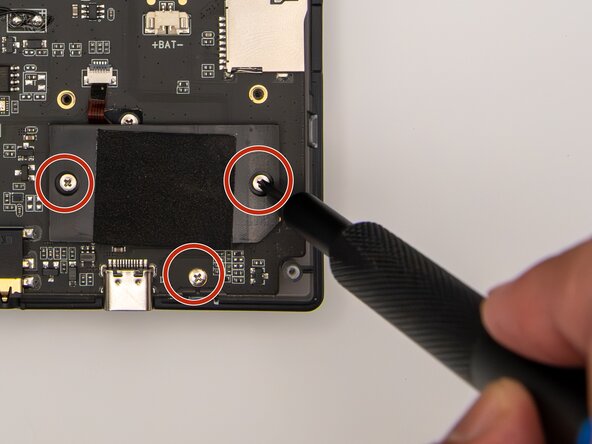
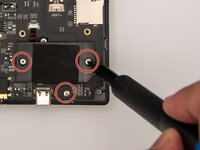
Using a Phillips #00 screwdriver, remove the 10 5.5 mm screws securing the circuit board to the case.
-
-
-
-
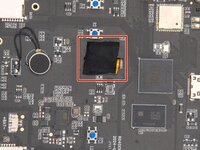
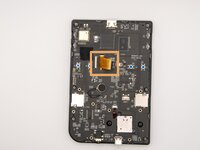
Remove the tape covering the ribbon cables.
-
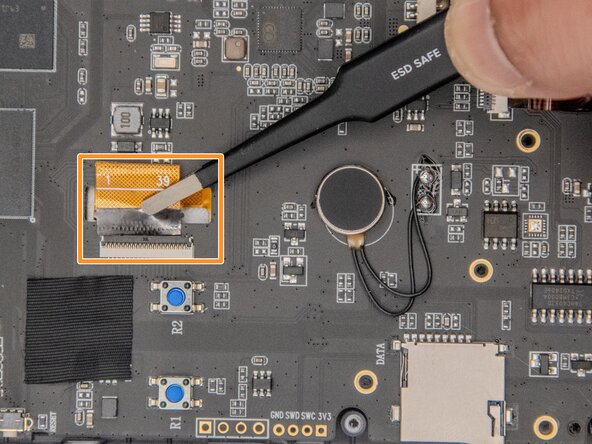
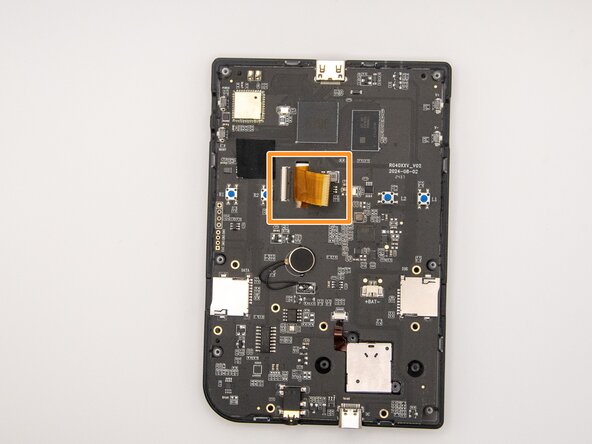
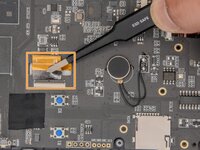
Using ESD-safe tweezers, gently pull the ribbon cables away from the circuit board.
-
-
-
-
-
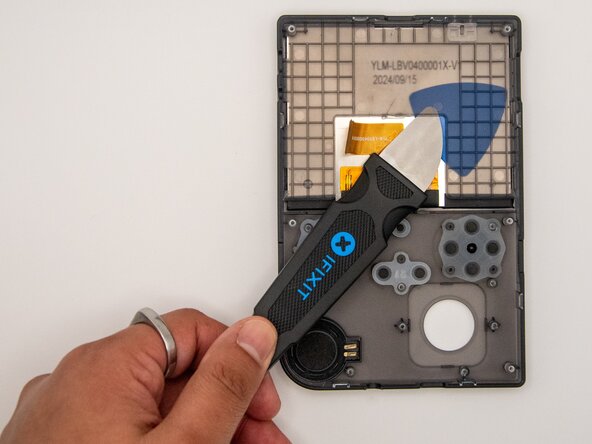
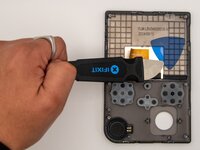
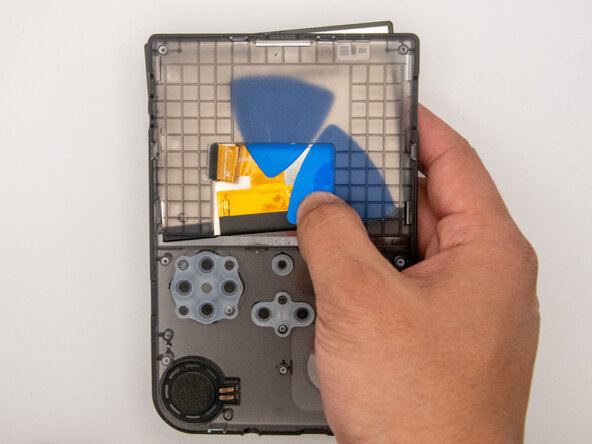
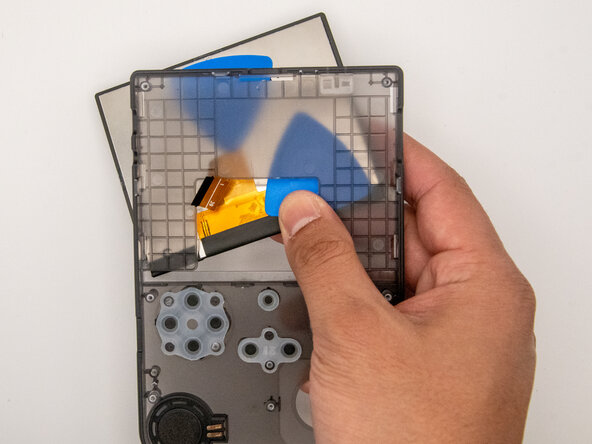
Gently slide an opening pick in between the screen and the case frame.
-
-
-
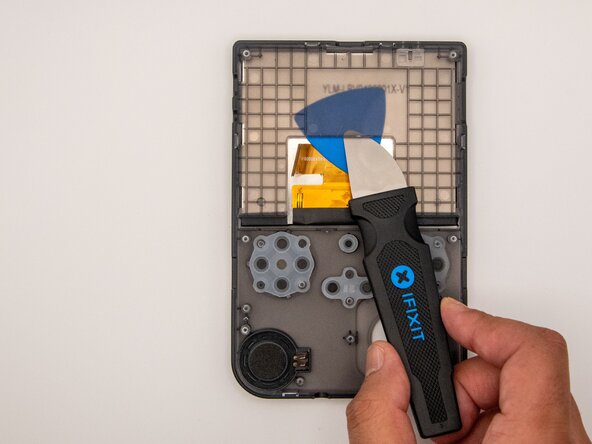
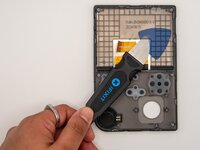
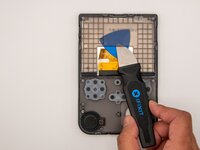
Gently slide a Jimmy in between the screen and case frame.
-
Move the Jimmy around the underside of the case frame to loosen the adhesive holding the screen in place.
-
-








To reassemble your device, follow these instructions in reverse order.
Cancel: I did not complete this guide.
2 other people completed this guide.

Team

Idaho State University, Team 1-2, Watkins Spring 2025 Member of Idaho State University, Team 1-2, Watkins Spring 2025
ISU-WATKINS-S25S1G2
3 Members
48 Guides authored
3 Guide Comments
If I send my device to you, can you repair or replace the screen? Or do you have any workshop in India or any collaboration with some repair centre in India?
@rishablath did you get it fixed please let me know
