
AmazonBasics BTV1 Speaker Replacement

Chris Shannon and one other contributor
Last updated on May 10, 2016
Views: 2.6K
View statistics:
- Past 24 Hours:
- 2
- Past 7 Days:
- 23
- Past 30 Days:
- 101
- All Time:
- 2,552
Comments: 1
1 guide comment.
Go to guide commentsCompleted: 2 3
2 people have marked this guide "completed." Will you be next?
3 people have marked this guide "completed." Including you — great job!
Favorites: 0 1
No one has favorited (and subscribed to) this guide. Will you be the first?
1 person has favorited (and subscribed to) this guide — and that's you!
Featured Student Guide
This guide has been the hard work of our awesome students and is found to be exceptionally cool by the iFixit staff.
Introduction
Go to step 1 ↓Occasionally speakers start malfunctioning or stop working entirely. In this guide we show you how to replace those speakers and get your AmazonBasics BTV1 running again.
What you need
Tools


-
-
-
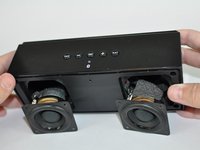
Hold the speaker firmly and wedge a plastic opening tool in between the faceplate and the body of the speaker.
-
Move the tool back and forth along the entire perimeter of the face plate until you feel the plate loosen, then pry the plate off.
 Ask FixBot
-
-
-
Using a Phillips #1 screwdriver, remove the four black 10mm screws around each of speakers.
-
Using a Phillps #1 screwdriver, remove the four black 10mm screws securing the inside panel to the case.
-
-
-
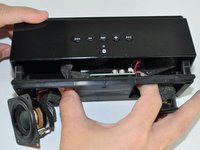
Tilt the case downwards until the speakers fall out of their housings.
-
Reach your thumb and forefinger past the speakers and detach the front speaker panel from the unit.
-
-
-
-
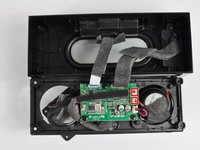
Gently pull the two plastic connectors from the motherboard.
-
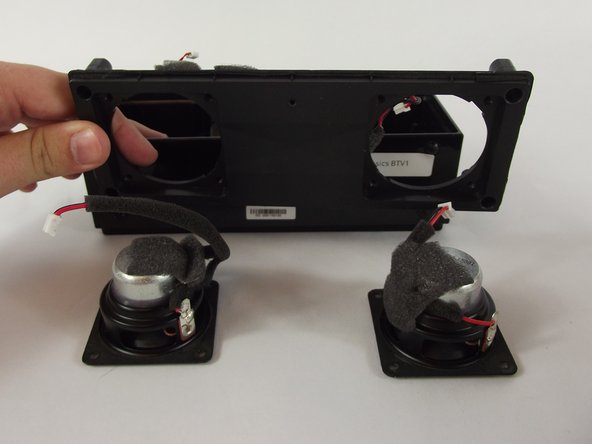
Lift the front panel of the case and remove the speakers.
-
-



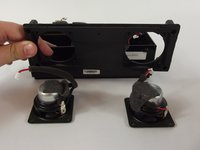
To reassemble your device, follow these instructions in reverse order.
Cancel: I did not complete this guide.
2 other people completed this guide.

Team

USF Tampa, Team 14-2, Lacy Spring 2016 Member of USF Tampa, Team 14-2, Lacy Spring 2016
USFT-LACY-S16S14G2
3 Members
60 Guides authored
