Free Shipping on Domestic Orders $75+

Amazon Fire TV Cube Motherboard Replacement

Views: 2.7K

View statistics:

Past 24 Hours:
2
Past 7 Days:
16
Past 30 Days:
76
All Time:
2,720
Comments: 3

1 comment on steps, 2 guide comments.

Go to guide comments
Completed: 3

3 people have marked this guide "completed." Will you be next?

Favorites: 0

No one has favorited (and subscribed to) this guide. Will you be the first?

Time Required: 30 minutes
Difficulty: Difficult
Featured Student Guide

This guide has been the hard work of our awesome students and is found to be exceptionally cool by the iFixit staff.

Amazon Fire TV Cube Motherboard Replacement

Introduction

Go to step 1 ↓

These steps will guide you through the disassembly and the replacement of the Fire TV Cube motherboard. This guide requires the metal flathead spudger. Use extra caution when detaching wires.

What you need

Tools

    1. Amazon Fire TV Cube Motherboard Replacement, Speaker: step 1, image 1 of 3 Amazon Fire TV Cube Motherboard Replacement, Speaker: step 1, image 2 of 3 Amazon Fire TV Cube Motherboard Replacement, Speaker: step 1, image 3 of 3
      • Using a metal spudger, push down between the edge seals on the base and pry off the base.

      • Do not confuse the top thin layer of rubber with the thick palette that needs to be removed.

      • This may require substantial force.

      Ask FixBot

      Add Comment

    2. Amazon Fire TV Cube Motherboard Replacement: step 2, image 1 of 3 Amazon Fire TV Cube Motherboard Replacement: step 2, image 2 of 3 Amazon Fire TV Cube Motherboard Replacement: step 2, image 3 of 3
      • Use the T-10 bit from the iFixit tool kit to unscrew the four 1.4 inch corner screws on top of the first layer.

      • There are 4 washers to go with each of the screws.

      Ask FixBot

      Add Comment

    3. Amazon Fire TV Cube Motherboard Replacement: step 3, image 1 of 1
      • Lift and remove the full frame.

      Ask FixBot

      Add Comment

    4. Amazon Fire TV Cube Motherboard Replacement: step 4, image 1 of 2 Amazon Fire TV Cube Motherboard Replacement: step 4, image 2 of 2
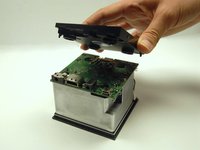
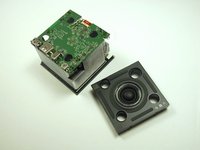
      • Lift and remove the speaker.

      • Carefully match the outlets on the speaker with the outlets on the motherboard.

      Ask FixBot

      Add Comment

    1. Amazon Fire TV Cube Motherboard Replacement, Motherboard: step 5, image 1 of 2 Amazon Fire TV Cube Motherboard Replacement, Motherboard: step 5, image 2 of 2
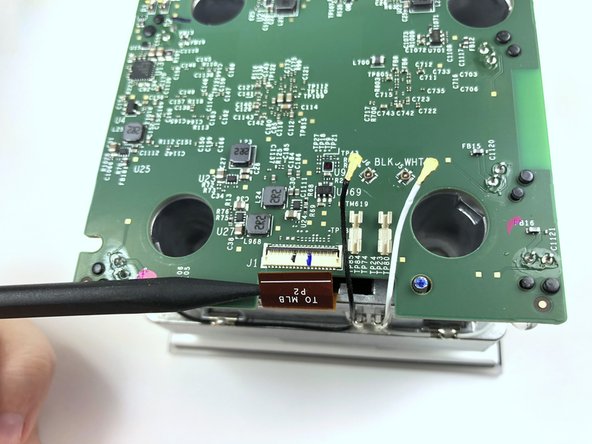
      • Lift the black latch by gently prying up with the flat end of the Spudger.

      • Detach the copper tap by pulling it out.

      Ask FixBot

      Add Comment

    2. Amazon Fire TV Cube Motherboard Replacement: step 6, image 1 of 2 Amazon Fire TV Cube Motherboard Replacement: step 6, image 2 of 2
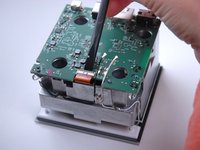
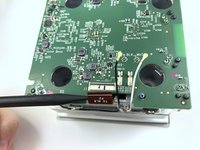
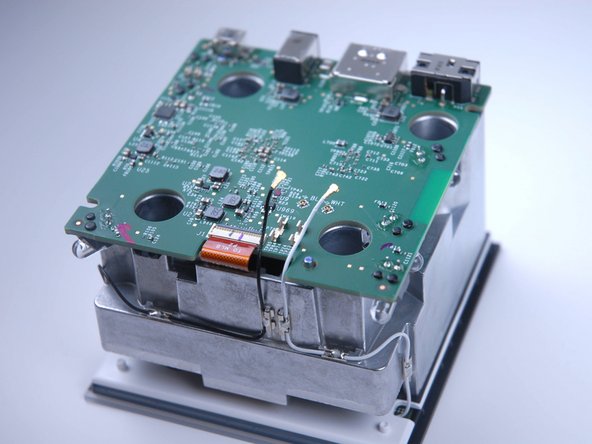
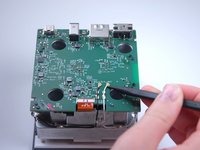
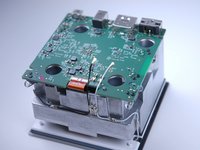
      • Use the pointed end of the Spudger to carefully detach the black and white wires from the motherboard.

      • Make sure all three attachments (the copper tab and both wires) are fully disconnected before continuing.

      Ask FixBot

      Add Comment

    3. Amazon Fire TV Cube Motherboard Replacement: step 7, image 1 of 2 Amazon Fire TV Cube Motherboard Replacement: step 7, image 2 of 2
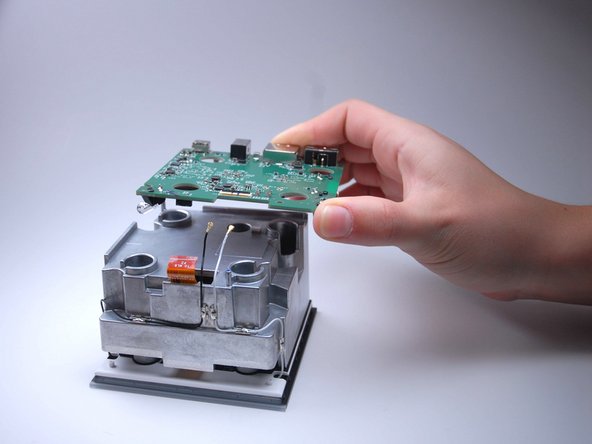
      • Gently pry the motherboard up and off.

      Ask FixBot

      Add Comment

Conclusion

To reassemble your device, follow these instructions in reverse order.

Cancel: I did not complete this guide.

3 other people completed this guide.

2 Guide Comments

where do you buy the mother board ?

Sam Handa - Reply Share

This would be perfect if I could buy the dam motherboard. Where does one get because so far I’m not finding crap.

futuregu - Reply Share

Add Comment

View Statistics:

Past 24 Hours: 2

Past 7 Days: 16

Past 30 Days: 76

All Time: 2,720