Free Shipping on Domestic Orders $75+

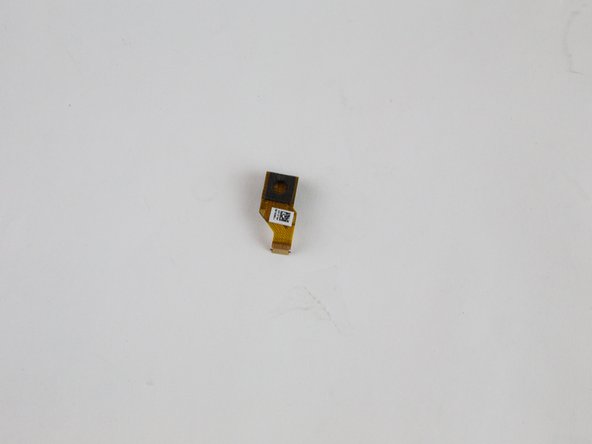
Amazon Fire HD 10 Rear Facing Camera Replacement

What you need

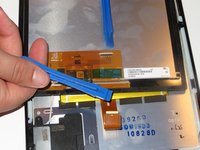
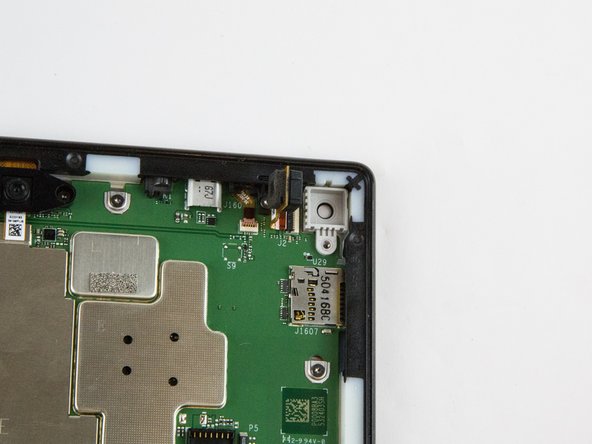
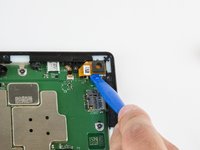
    1. Amazon Fire HD 10 Rear Facing Camera Replacement, Screen: step 1, image 1 of 3 Amazon Fire HD 10 Rear Facing Camera Replacement, Screen: step 1, image 2 of 3 Amazon Fire HD 10 Rear Facing Camera Replacement, Screen: step 1, image 3 of 3
      • Avoid prying near bottom right hand side due to LCD Connector

      • Use a plastic opening tool to pry the screen up in the right hand corner.

      Ask FixBot

      Add Comment

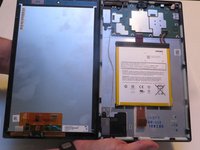
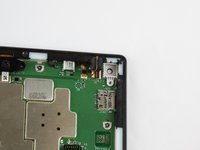
    2. Amazon Fire HD 10 Rear Facing Camera Replacement: step 2, image 1 of 1
      • Do not completely remove the screen yet as there is a ZIF connector connected.

      • Lift the screen and digitizer from the case.

      • You may need to use some force due to the glue.

      Ask FixBot

      Add Comment

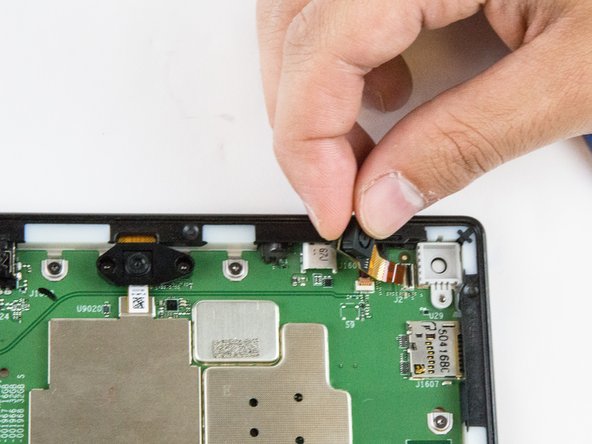
    3. Amazon Fire HD 10 Rear Facing Camera Replacement: step 3, image 1 of 2 Amazon Fire HD 10 Rear Facing Camera Replacement: step 3, image 2 of 2
      • Be mindful of the ZIF connector.

      • Disconnect the ribbon connector from the digitizer side using your hands or the plastic opening tool.

      Ask FixBot

      Add Comment

    4. Amazon Fire HD 10 Rear Facing Camera Replacement: step 4, image 1 of 1
      • Remove the screen and digitizer from the case completely.

      Ask FixBot

      Add Comment

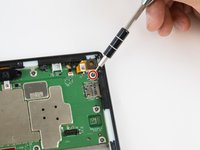
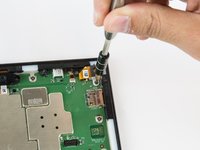
    1. Amazon Fire HD 10 Rear Facing Camera Replacement, Rear Facing Camera: step 5, image 1 of 2 Amazon Fire HD 10 Rear Facing Camera Replacement, Rear Facing Camera: step 5, image 2 of 2
      • Remove the single T5 Torx screw at the base of the camera.

      • Once removed, place the screw aside in a safe location.

      Ask FixBot

      Add Comment

    2. Amazon Fire HD 10 Rear Facing Camera Replacement: step 6, image 1 of 2 Amazon Fire HD 10 Rear Facing Camera Replacement: step 6, image 2 of 2
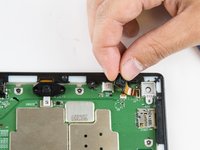
      • Lift the camera from the case using the plastic opening tool.

      • The camera is still connected to the motherboard via the ZIF connector.

      Ask FixBot

      Add Comment

    3. Amazon Fire HD 10 Rear Facing Camera Replacement: step 7, image 1 of 2 Amazon Fire HD 10 Rear Facing Camera Replacement: step 7, image 2 of 2
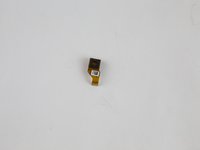
      • Gently grab the camera and pull to remove.

      • The camera is now free from the motherboard.

      Ask FixBot

      Add Comment

Conclusion

To reassemble your device, follow these instructions in reverse order.

Cancel: I did not complete this guide.

2 other people completed this guide.

Jaie Hillery

Member since: 10/07/14

1,774 Reputation

10 Guides authored

Team

USF Tampa, Team 16-6, Blackwell Winter 2016 Member of USF Tampa, Team 16-6, Blackwell Winter 2016

USFT-BLACKWELL-W16S16G6

3 Members

110 Guides authored

0 Guide Comments

Add Comment

View Statistics:

Past 24 Hours: 1

Past 7 Days: 8

Past 30 Days: 43

All Time: 1,274