
Altec Lansing BoomJacket Power Button Replacement

Ryan Byrnes and 2 other contributors
Last updated on Jun 26, 2017
Views: 22K
View statistics:
- Past 24 Hours:
- 1
- Past 7 Days:
- 16
- Past 30 Days:
- 97
- All Time:
- 21,535
Comments: 2
1 comment on steps, 1 guide comment.
Go to guide commentsCompleted: 8 9
8 people have marked this guide "completed." Will you be next?
9 people have marked this guide "completed." Including you — great job!
Favorites: 1 2
1 person has favorited (and subscribed to) this guide. Will you be next?
2 people have favorited (and subscribed to) this guide — including you!
Introduction
Go to step 1 ↓Will your device not turn on or off? Your power button is likely the reason.
What you need
Parts
-
×16
-
×6
Tools


-
-
-
Using your hands, remove the pegs (4+4) from the front and back of the speaker.
 Ask FixBot
-
-
Tool used on this step:Tweezers$4.99
-
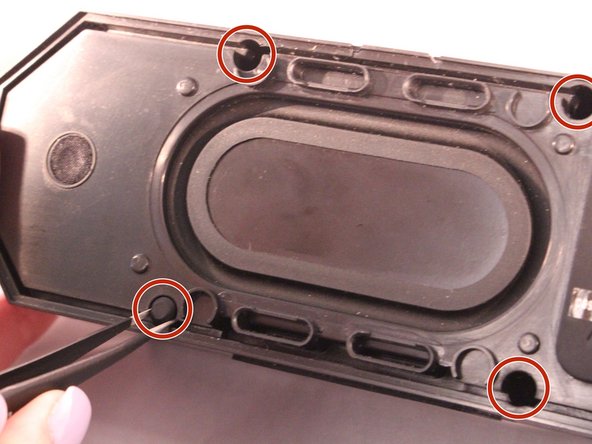
Using tweezers remove the rubber stoppers (4 at the back + 2 at the front).
-
-
-
Using the size PH1 screwdriver remove the screws exposed from the rubber stoppers (4 + 2).
-
-
-
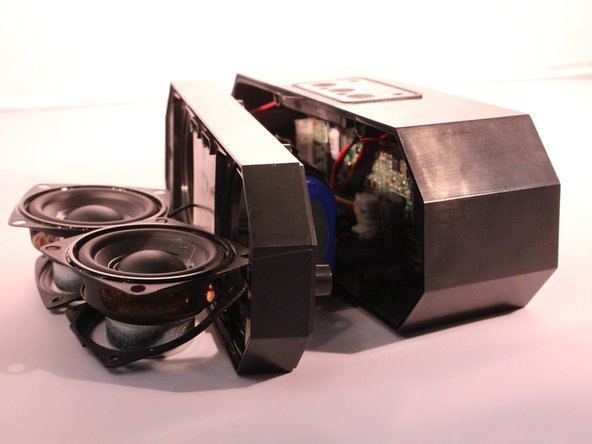
Pull the case apart and you will be able to see all the components inside the speaker.
-
-
-
-
-
The battery will be sitting right behind the speakers when the case is open.
-
-
-
-
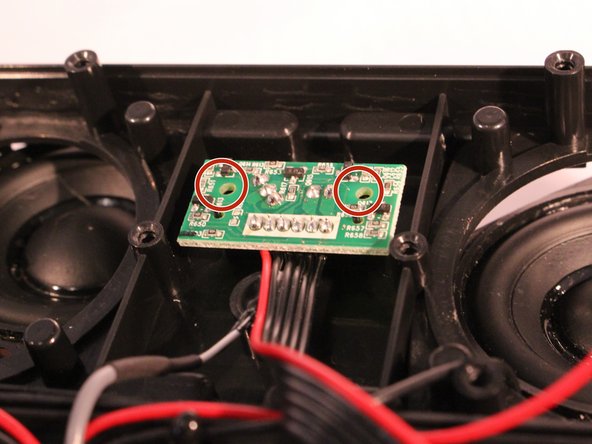
You will now see the motherboard for the power button.
-
Remove the 2 screws holding the motherboard into place.
-
-








To reassemble your device, follow these instructions in reverse order.
Cancel: I did not complete this guide.
8 other people completed this guide.

Team

Eastern Washington University, Team S2-G2, Rowley Spring 2017 Member of Eastern Washington University, Team S2-G2, Rowley Spring 2017
EWU-ROWLEY-S17S2G2
4 Members
60 Guides authored
1 Guide Comment
Current speaker won’t turn on even though charging light looks all good so came across these instructions.
Thinking it’s the power button on my speaker that’s the issue.
Assuming these instructions are assuming you are replacing the power button motherboard? Where could I source one?
