Introduction
The Altec Lansing Baby Boom XL Portable Bluetooth Speaker is the device and the model number is IMW270. The alternate names other than the standard name of “Baby Boom XL” can be listed as Altec Lansing Baby Boom XL Waterproof Bluetooth Speaker, Altec Lansing IMW270, and Baby Boom XL 2 pack (when sold in bundles). There are no different model names for the device, although there are five different colors. This device guide for battery replacement is intended to assist in complications in the overall functioning of the device, such as losing battery quickly. The battery is an integrated lithium-ion battery that allows the device to be powered on for up to six hours of use. It enables portable, wireless operation by storing electrical energy, making it essential for the overall device use. This allows the speaker to be used without being plugged into an outlet. Symptoms of the device regarding complications with the battery can include power and startup issues, frequent reboots, slow performance, freezing and crashing, overheating, an unresponsive screen, no sound, no connection, and loss of battery quickly.
What you need
-
-
Insert a metal spudger into the seam between the chassis and the speaker grille.
-
Pry off the speaker grille.
 Ask FixBot
-
-
-
Remove the seven 11.1 mm screws using a Phillips #2 screwdriver.
-
Place the loose screws onto the magnetic project mat.
-
-
-
Insert a spudger between the front speaker components and the housing.
-
Gently separate the components.
-
Lift the components slightly to expose the internal wiring.
-
-
-
-
Disconnect the two wires attached to the speaker.
-
Remove the speaker from the housing.
-
Disconnect the wire connecting the battery to the motherboard.
-
-
-
Remove the three 9.25 mm screws from the motherboard using a Phillips #1 screwdriver.
-
-
-
Carefully take off the plastic box housing the button components using the metal spudger; this may take some pressure.
-
-
-
Use angled tweezers to carefully grip the motherboard and lift it out of the device.
-
Use a metal spudger to carefully lift the battery out of the speaker.
-
Lift and remove the battery from the device.
-


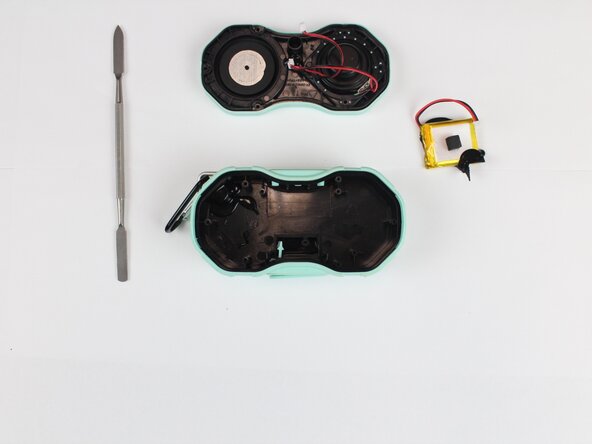


To reassemble your device, follow the above steps in reverse order.
For optimal performance, after completing this guide, calibrate your newly installed battery.
Take your e-waste to an R2 or e-Stewards certified recycler.
Repair didn’t go as planned? Try some basic troubleshooting or ask our Answers community for help.
Cancel: I did not complete this guide.
One other person completed this guide.

Team

Texas Tech, Team 41-4, Johansen Spring 2026 Member of Texas Tech, Team 41-4, Johansen Spring 2026
TTU-JOHANSEN-S26S41G4
5 Members
6 Guides authored
