
Alienware P18G M14X R1 Battery Replacement

Andonaq Grozdani and one other contributor
Last updated on May 23, 2018
Views: 2.7K
View statistics:
- Past 24 Hours:
- 6
- Past 7 Days:
- 32
- Past 30 Days:
- 90
- All Time:
- 2,689
Comments: 1
1 comment on steps.
Completed: 2 3
2 people have marked this guide "completed." Will you be next?
3 people have marked this guide "completed." Including you — great job!
Favorites: 0 1
No one has favorited (and subscribed to) this guide. Will you be the first?
1 person has favorited (and subscribed to) this guide — and that's you!
Introduction
Go to step 1 ↓Batteries fail from heat and if they reach their max charge cycles limit. This guide will show you how to replace it.
What you need
Tools

-
-
-
Loosen the top left and top right 6.5mm PH1 screws that hold down the back cover.
 Ask FixBot
-
-
-
-
-
-
Using PH1 screwdriver loosen the two screws on the right of the battery.
-
-
-
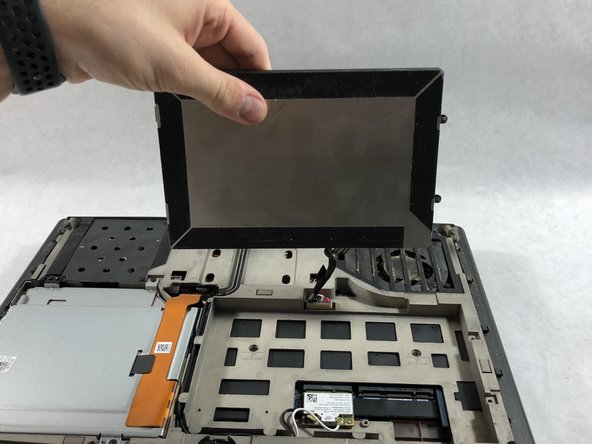
Disconnect the clip connecting the battery to the computer.
-
Set battery aside.
-
-




To reassemble your device, follow these instructions in reverse order.
Cancel: I did not complete this guide.
2 other people completed this guide.

Team

UMass Dartmouth, Team S2-G2, Simcock Spring 2018 Member of UMass Dartmouth, Team S2-G2, Simcock Spring 2018
UMASSD-SIMCOCK-S18S2G2
3 Members
60 Guides authored
