Free Shipping on Domestic Orders $75+

Alcatel IdealXCITE Antenna Replacement

What you need

  1. Alcatel IdealXCITE Antenna Replacement, Battery: step 1, image 1 of 3 Alcatel IdealXCITE Antenna Replacement, Battery: step 1, image 2 of 3 Alcatel IdealXCITE Antenna Replacement, Battery: step 1, image 3 of 3
    • Place your finger in the small notch on the left corner of the phone.

    • Use your finger to gently pull up on the back cover where the notch is located.

    • Gently pull up on the back cover, working around the phone.

    • Remove the cover from the phone, and set it aside for later installation.

  2. Alcatel IdealXCITE Antenna Replacement: step 2, image 1 of 3 Alcatel IdealXCITE Antenna Replacement: step 2, image 2 of 3 Alcatel IdealXCITE Antenna Replacement: step 2, image 3 of 3
    • Place your thumb in the small notch between the battery and the phone.

    • Use your thumb to gently pry the battery up at the notch, releasing it from the phone.

    • Take note of the contacts in the phone and on the battery for reinstallation.

  3. Alcatel IdealXCITE Antenna Replacement, Antenna: step 3, image 1 of 2 Alcatel IdealXCITE Antenna Replacement, Antenna: step 3, image 2 of 2
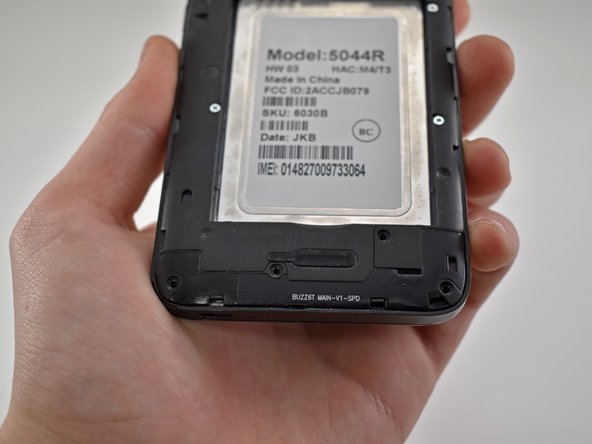
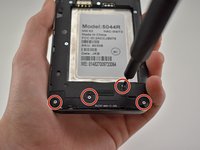
    • Remove the four 4mm PH00 screws.

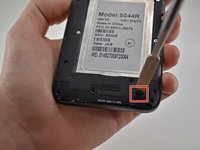
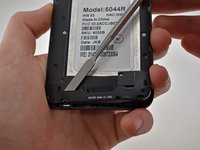
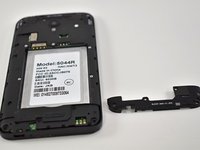
  4. Alcatel IdealXCITE Antenna Replacement: step 4, image 1 of 3 Alcatel IdealXCITE Antenna Replacement: step 4, image 2 of 3 Alcatel IdealXCITE Antenna Replacement: step 4, image 3 of 3
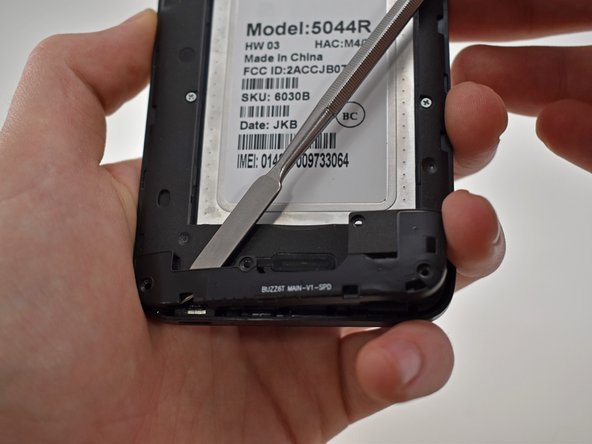
    • Using a spudger, pry upwards in the indentation on the bottom right corner of the phone.

    • Work the tool gently around the antenna to release it.

Conclusion

To reassemble your device, follow these instructions in reverse order.

One other person completed this guide.

Franklin Froehlich

Member since: 03/07/19

460 Reputation

3 Guides authored

0 Guide Comments

Add Comment

View Statistics:

Past 24 Hours: 0

Past 7 Days: 11

Past 30 Days: 49

All Time: 882