Free Shipping on Domestic Orders $75+

Alcatel Go Flip V Flip Phone Screen Replacement

What you need

  1. Alcatel Go Flip V Flip Phone Screen Replacement, Remove the Screen Cover: step 1, image 1 of 1
    • Heat the screen cover with an iOpener, a heat gun or even a hair dryer to soften the adhesive holding it to the display frame.

    • Use caution with a heat gun as you could easily melt the plastic screen cover.

    Ask FixBot

    Add Comment

  2. Alcatel Go Flip V Flip Phone Screen Replacement: step 2, image 1 of 2 Alcatel Go Flip V Flip Phone Screen Replacement: step 2, image 2 of 2
    • Insert a curved razor blade under the screen cover to pry it open.

    Ask FixBot

    Add Comment

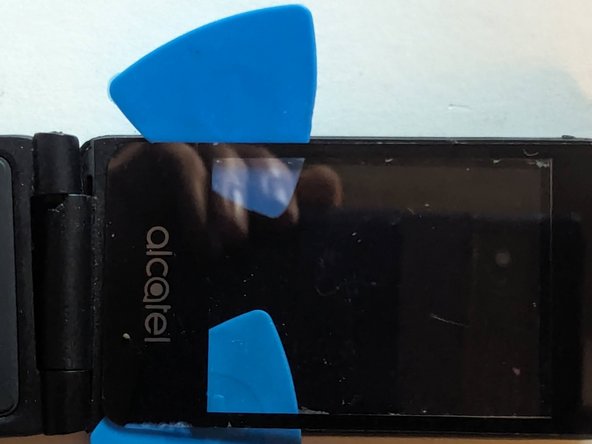
  3. Alcatel Go Flip V Flip Phone Screen Replacement: step 3, image 1 of 2 Alcatel Go Flip V Flip Phone Screen Replacement: step 3, image 2 of 2
    • Use plastic picks to separate the adhesive. Metal is not advised as it will scratch the plastic material the cover is made of. Add more heat as needed.

    Ask FixBot

    Add Comment

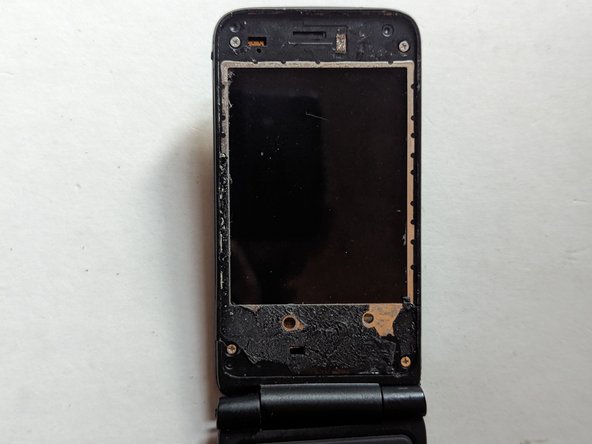
  4. Alcatel Go Flip V Flip Phone Screen Replacement: step 4, image 1 of 2 Alcatel Go Flip V Flip Phone Screen Replacement: step 4, image 2 of 2
    • Remove the plastic screen cover.

    Ask FixBot

    Add Comment

  5. Alcatel Go Flip V Flip Phone Screen Replacement, Remove the Rear Cover: step 5, image 1 of 2 Alcatel Go Flip V Flip Phone Screen Replacement, Remove the Rear Cover: step 5, image 2 of 2
    • Remove the four 3.5mm Phillips screws holding the rear cover in place.

    Ask FixBot

    Add Comment

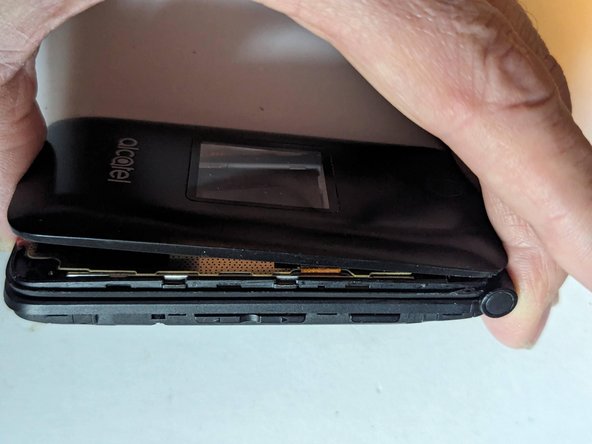
  6. Alcatel Go Flip V Flip Phone Screen Replacement: step 6, image 1 of 3 Alcatel Go Flip V Flip Phone Screen Replacement: step 6, image 2 of 3 Alcatel Go Flip V Flip Phone Screen Replacement: step 6, image 3 of 3
    • Starting at the hinge side, insert a metal opening tool between the rear cover and the display's frame.

    • Continue down the side of the phone, releasing clips as you go.

    Ask FixBot

    Add Comment

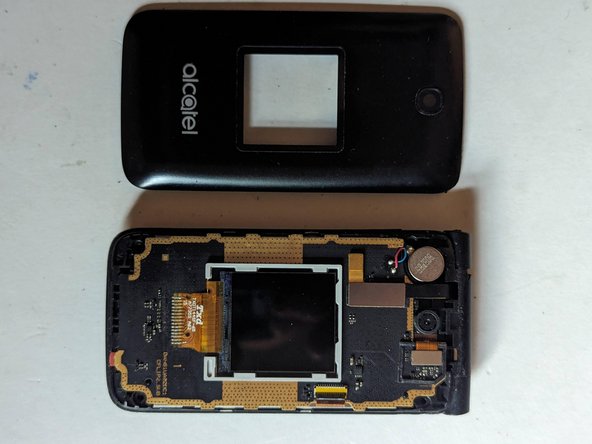
  7. Alcatel Go Flip V Flip Phone Screen Replacement: step 7, image 1 of 3 Alcatel Go Flip V Flip Phone Screen Replacement: step 7, image 2 of 3 Alcatel Go Flip V Flip Phone Screen Replacement: step 7, image 3 of 3
    • Work your way across the bottom and up the other side.

    • And finally the rear cover is free.

    Ask FixBot

    Add Comment

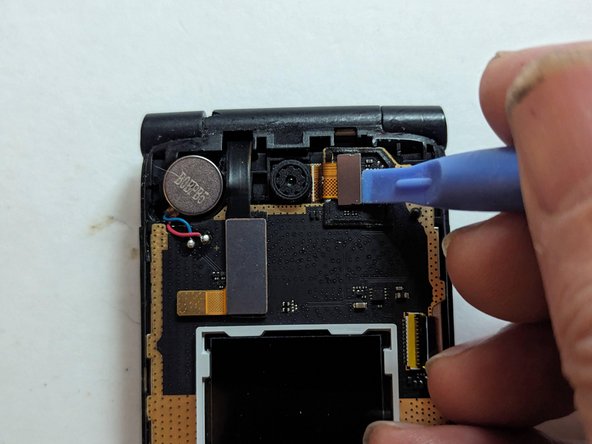
  8. Alcatel Go Flip V Flip Phone Screen Replacement, Remove the Camera: step 8, image 1 of 2 Alcatel Go Flip V Flip Phone Screen Replacement, Remove the Camera: step 8, image 2 of 2
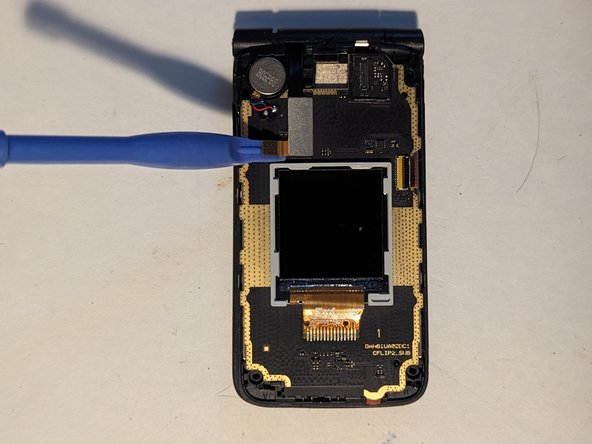
    • Using a spudger, disconnect the camera's flex cable.

    Ask FixBot

    Add Comment

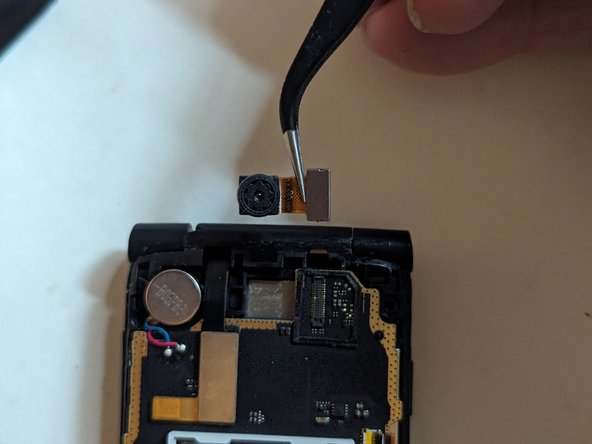
  9. Alcatel Go Flip V Flip Phone Screen Replacement: step 9, image 1 of 2 Alcatel Go Flip V Flip Phone Screen Replacement: step 9, image 2 of 2
    • Remove the camera from the display.

    Ask FixBot

    Add Comment

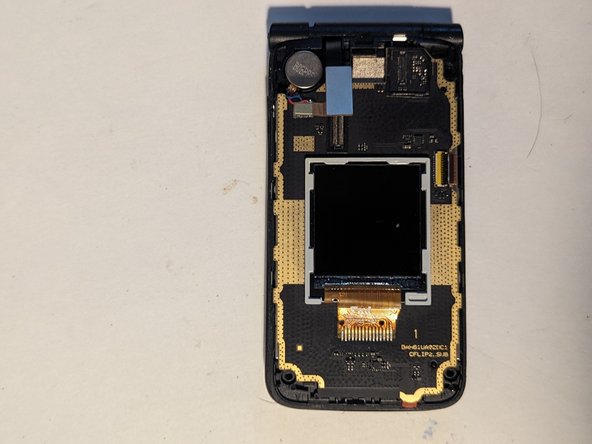
  10. Alcatel Go Flip V Flip Phone Screen Replacement, Screen: step 10, image 1 of 3 Alcatel Go Flip V Flip Phone Screen Replacement, Screen: step 10, image 2 of 3 Alcatel Go Flip V Flip Phone Screen Replacement, Screen: step 10, image 3 of 3
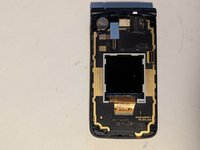
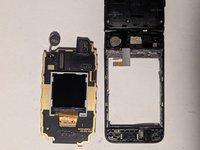
    • Unplug the display connector.

    Ask FixBot

    Add Comment

  11. Alcatel Go Flip V Flip Phone Screen Replacement, Slice the Adhesive: step 11, image 1 of 1
    • The screen is held onto the display frame with adhesive around the outside edge of the LCD, with a thicker bar of adhesive along the bottom edge as shown.

    Ask FixBot

    Add Comment

  12. Alcatel Go Flip V Flip Phone Screen Replacement: step 12, image 1 of 1
    • Heat the edges of the LCD frame to soften the adhesive holding it in place. A hair dryer, heat gun or iOpener will all work fine.

    Ask FixBot

    Add Comment

  13. Alcatel Go Flip V Flip Phone Screen Replacement: step 13, image 1 of 3 Alcatel Go Flip V Flip Phone Screen Replacement: step 13, image 2 of 3 Alcatel Go Flip V Flip Phone Screen Replacement: step 13, image 3 of 3
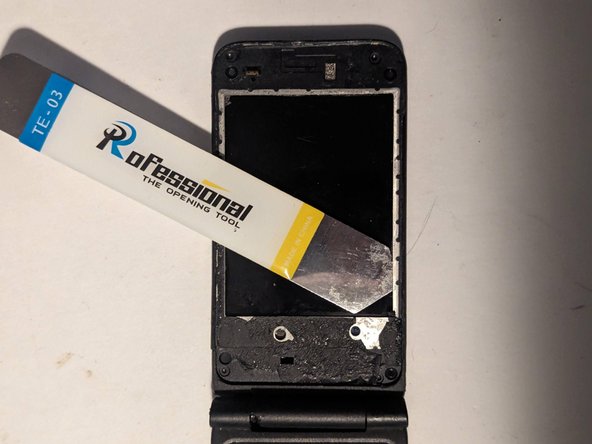
    • Insert an opening tool between the lip of the frame and the LCD. Use it to slice the adhesive along the top edge.

    • Now go along the side edge.

    Ask FixBot

    Add Comment

  14. Alcatel Go Flip V Flip Phone Screen Replacement: step 14, image 1 of 2 Alcatel Go Flip V Flip Phone Screen Replacement: step 14, image 2 of 2
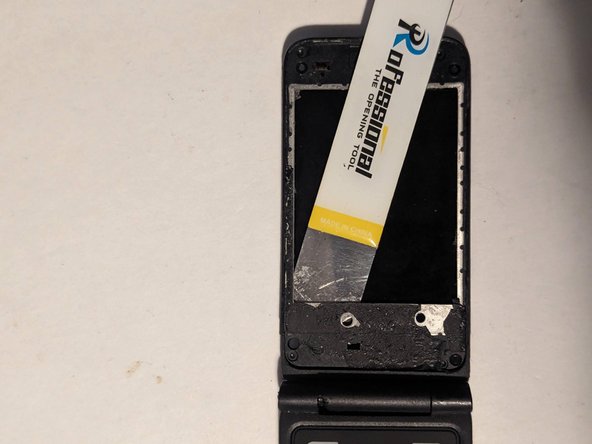
    • Then along the other side.

    Ask FixBot

    Add Comment

  15. Alcatel Go Flip V Flip Phone Screen Replacement: step 15, image 1 of 2 Alcatel Go Flip V Flip Phone Screen Replacement: step 15, image 2 of 2
    • Finally, slice the adhesive along the bottom edge. Note that you'll need to go much deeper as there is a wider strip of adhesive along that edge.

    Ask FixBot

    Add Comment

  16. Alcatel Go Flip V Flip Phone Screen Replacement, Dismount the Vibrator: step 16, image 1 of 1
    • The vibrator is lightly glued to the display frame. Gently pry it loose, mindful of the wires attaching it to the LCD assembly.

    Ask FixBot

    Add Comment

  17. Alcatel Go Flip V Flip Phone Screen Replacement, Remove the LCD Assembly: step 17, image 1 of 2 Alcatel Go Flip V Flip Phone Screen Replacement, Remove the LCD Assembly: step 17, image 2 of 2
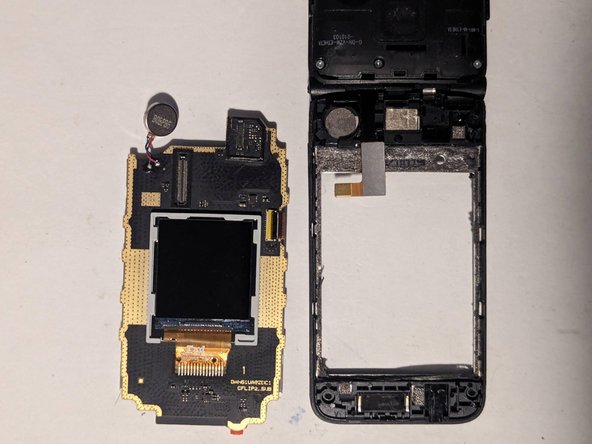
    • Lift the LCD assembly from the display frame. There will probably be several strands of adhesive you'll need to separate as you pull it apart.

    Ask FixBot

    Add Comment

Conclusion

To reassemble your device, follow these instructions in reverse order.

Cancel: I did not complete this guide.

One other person completed this guide.

Jerry Wheeler

Member since: 03/21/22

96,164 Reputation

92 Guides authored

2 Guide Comments

Where can I get a replacement screen?

Aiden Ventura - Reply Share

I wasn't able to locate a supplier for new or used replacement parts so I ended up buying one on eBay that had broken hinges and was being sold for parts.

If you have better luck, let us know.

Jerry Wheeler - Reply Share
Add Comment

View Statistics:

Past 24 Hours: 3

Past 7 Days: 10

Past 30 Days: 52

All Time: 1,560