
Alcatel Go Flip V Flip Phone Camera Replacement

Jerry Wheeler and one other contributor
Last updated on Jan 9, 2024
Views: 325
View statistics:
- Past 24 Hours:
- 1
- Past 7 Days:
- 16
- Past 30 Days:
- 54
- All Time:
- 325
Comments: 0
No one has left comments on this guide. Will you be first?
Go to guide commentsCompleted: 0 1
No one has marked this guide "completed." Will you be the first?
1 person has marked this guide "completed." It's you — great job!
Favorites: 0 1
No one has favorited (and subscribed to) this guide. Will you be the first?
1 person has favorited (and subscribed to) this guide — and that's you!
Community-Contributed Guide
An awesome member of our community made this guide. It was not created by iFixit staff.
Introduction
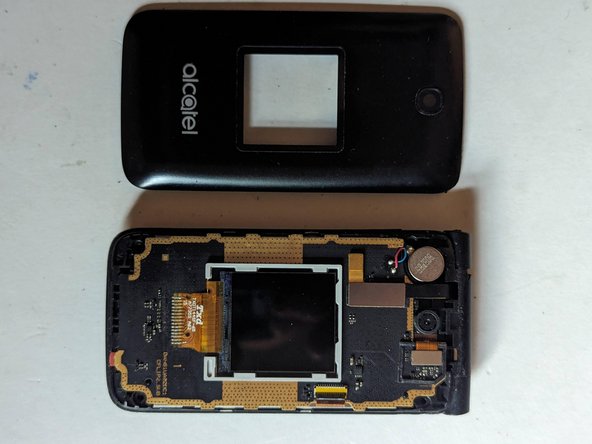
Go to step 1 ↓The 2 megapixel fixed focus rear camera is mounted in the display assembly and can be replaced.
What you need
Tools
-
-
-
-
-
Spudger4.9
-


-
-
-
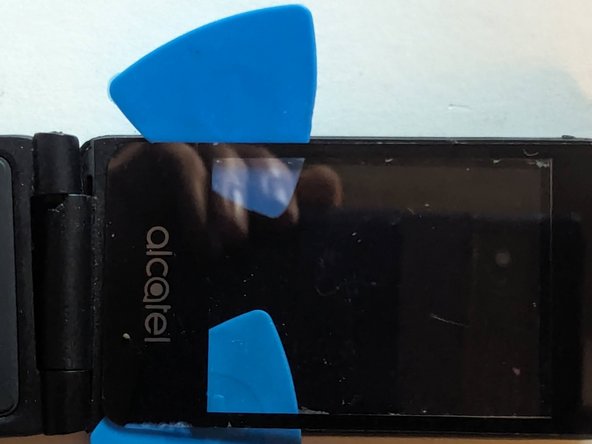
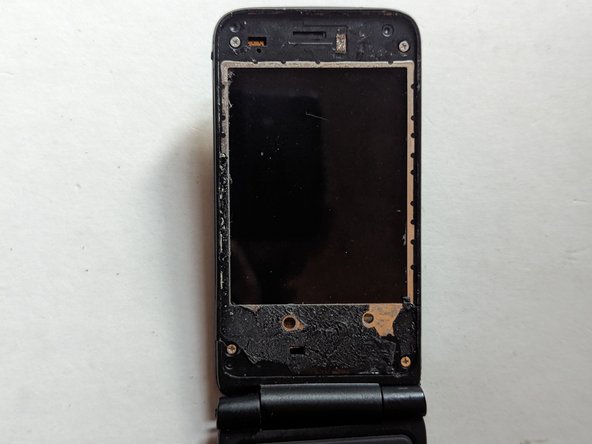
Heat the screen cover with an iOpener, a heat gun or even a hair dryer to soften the adhesive holding it to the display frame.
 Ask FixBot
-
-
-
Use plastic picks to separate the adhesive. Metal is not advised as it will scratch the plastic material the cover is made of. Add more heat as needed.
-
-
-
Remove the four 3.5mm Phillips screws holding the rear cover in place.
-
-
-
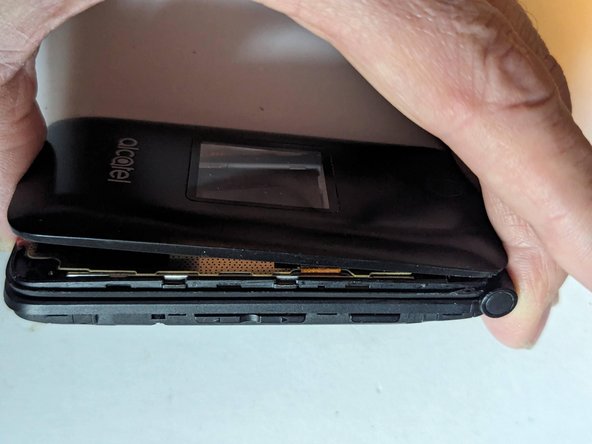
Starting at the hinge side, insert a metal opening tool between the rear cover and the display's frame.
-
Continue down the side of the phone, releasing clips as you go.
-
-
-
-
Work your way across the bottom and up the other side.
-
And finally the rear cover is free.
-
-








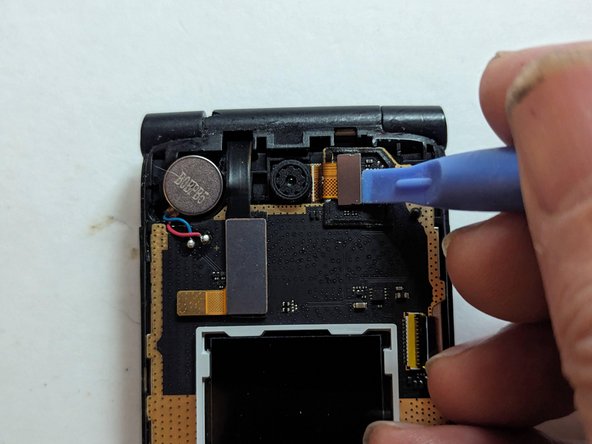


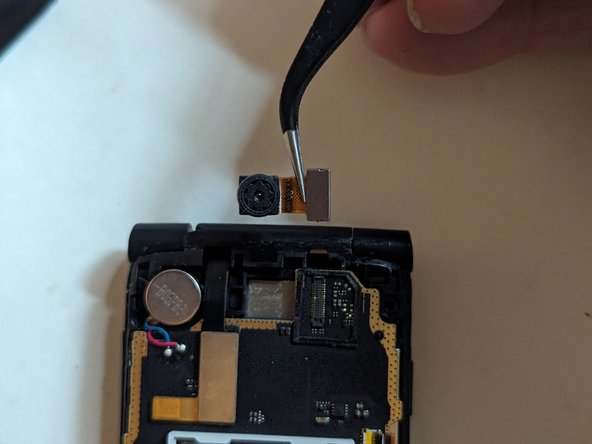

To reassemble your device, follow these instructions in reverse order.

