Introduction
If your Alcatel 1B 2020 has unexpected shutdowns, abnormal restarts, or slower performance, then it may be time to replace the motherboard.
This guide will focus on showing you how to replace the motherboard on your Alcatel 1B 2020. The repair is straightforward, only requiring a few screws to be taken out and some prying.
If your Alcatel 1B 2020 has a swollen battery after opening the phone, handle it carefully, as it poses a fire hazard.
Following these steps in this guide will help you successfully replace your Alcatel 1B 2020's motherboard.
What you need
-
-
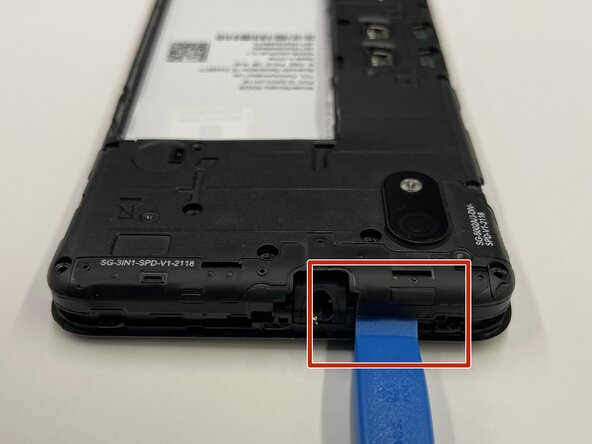
Insert the opening tool into the seam between the back plastic case and the front screen.
-
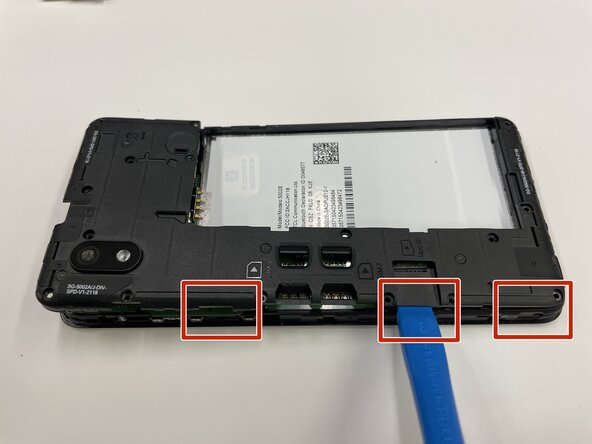
Slide it around the edge of the phone to release the clips holding them together.
-
Remove the bottom case by hand.
 Ask FixBot
-
-
-
Place the pry tool between the bottom of the battery and the bracket.
-
Lift the battery using the pry tool to remove it.
-
-
-
Use a Phillips #000 screwdriver to remove sixteen 3.0 mm screws that secure the black plastic bracket.
-
-
-
-
Use a plastic opening tool to pry the midframe from the bottom case.
-
Slide the end of the opening tool around the perimeter of the device to release the clips holding the midframe and bottom case together.
-
Remove the midframe from the phone.
-
-
-
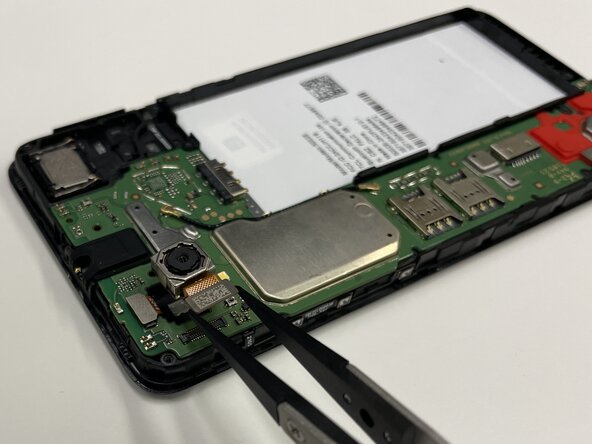
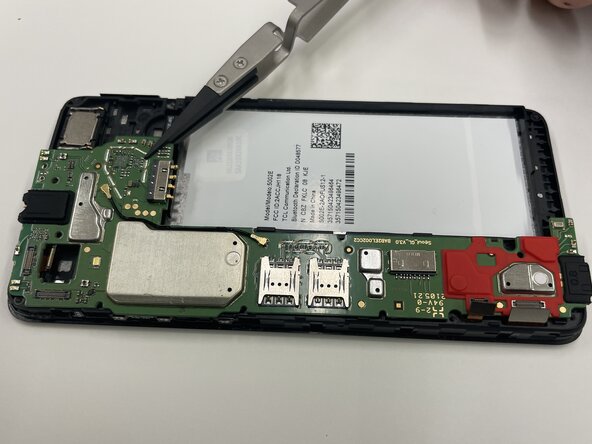
Place a spudger or an opening tool under the camera press connector edge and pry straight up to disconnect it.
-
Use the tweezers to pull the rear camera out.
-
-
-
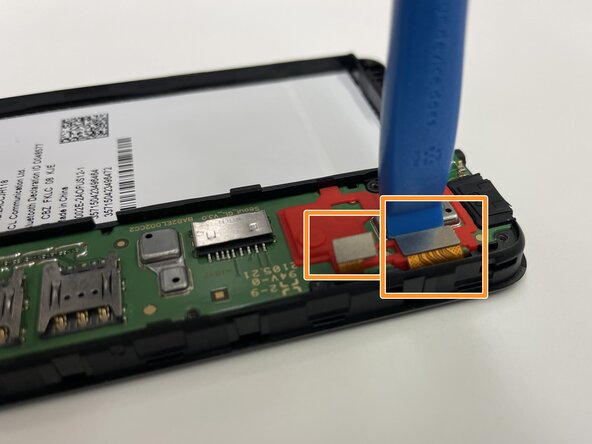
Insert a spudger or opening tool under the edge of the front camera cable connector and pry straight up to disconnect it.
-
Disconnect the other two press connectors near the red part of the motherboard.
-











To reassemble your device, follow these instructions in reverse order. Take your e-waste to an R2 or e-Stewards certified recycler.

Team

Purdue University Northwest, Team 7-2, Dieterle Spring 2026 Member of Purdue University Northwest, Team 7-2, Dieterle Spring 2026
PNW-DIETERLE-S26S7G2
3 Members
10 Guides authored
