
Acer Travelmate 220 RAM Replacement

Kevin A and 6 other contributors
Last updated on Nov 11, 2014
Views: 4.1K
View statistics:
- Past 24 Hours:
- 1
- Past 7 Days:
- 16
- Past 30 Days:
- 104
- All Time:
- 4,082
Comments: 0
No one has left comments on this guide. Will you be first?
Go to guide commentsCompleted: 2 3
2 people have marked this guide "completed." Will you be next?
3 people have marked this guide "completed." Including you — great job!
Favorites: 3 4
3 people have favorited (and subscribed to) this guide. Will you be next?
4 people have favorited (and subscribed to) this guide — including you!
Needs Better Images
Better photos will improve this guide. Help out by taking, editing, or uploading new ones!
Missing Prerequisites
This guide is missing information on how to start the process. Make a prerequisite guide!
Introduction
Go to step 1 ↓These are common symptoms requiring the replacement of the RAM chips in an Acer Travelmate 220 include:
- The inability to turn your computer on.
- Your computer randomly crashing/turning off.
- Your computer randomly rebooting/turning on.
- The inability to install new programs to your computer.
What you need
Parts
Tools


-
-
-
Locate the larger cover panel in the upper left hand corner of the computer.
-
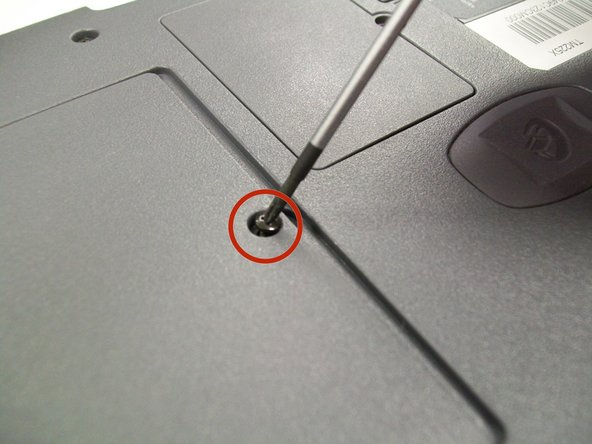
Locate the Phillips screw holding the large cover panel in place.
-
-
-
Place the plastic opening tool in the gap created to the left of the large cover panel.
-
Pry the cover panel up and remove it from the computer.
-
-
-
-
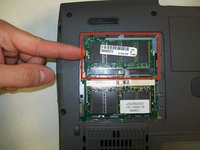
Locate the first RAM chip.
-
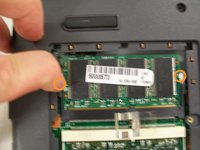
Push the plastic levers away from the first RAM chip.
-
-
-
Lift the RAM chip from the compartment.
-
Repeat steps 7 and 8 to replace the second RAM chip.
-

 Ask FixBot






To reassemble your device, follow these instructions in reverse order.
Cancel: I did not complete this guide.
2 other people completed this guide.

Team

UW Stout, Team 5-5, Zhou Fall 2011 Member of UW Stout, Team 5-5, Zhou Fall 2011
UWSTOUT-ZHOU-F11S5G5
3 Members
24 Guides authored
