Introduction
If your computer has been acting up recently. Every time you turn it on, it shuts down after just a minute or two, and we've noticed there's no sound during this process. We suspect the fan might not be working properly, causing the system to overheat. Let's explore this issue further, to keep our computer running smoothly you should follow the guide to replace the heat sink/fan.
What you need
-
-
-
Use a T5 Torx screwdriver to remove the eleven screws that secure the lower case.
 Ask FixBot
-
-
-
Insert an opening pick in the seam between the lower case and chassis.
-
Slide the pick around the perimeter while prying until the lower case releases.
-
Remove the lower case.
-
-
-
-
-
-
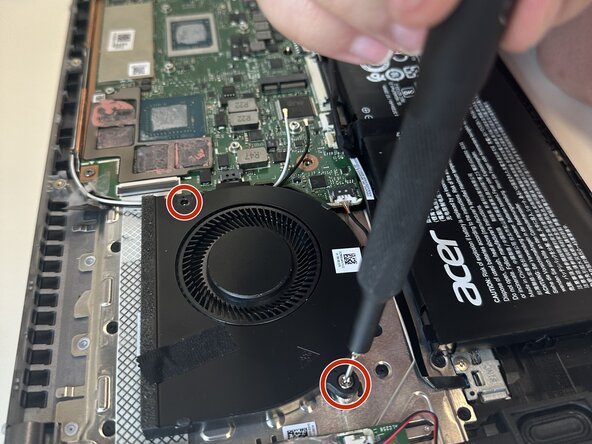
Use a Phillips #1 screwdriver to remove the two 5.9 mm screws that secure the fan.
-
-
-
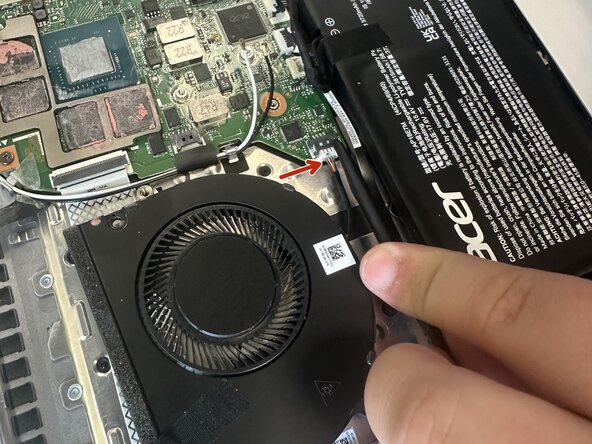
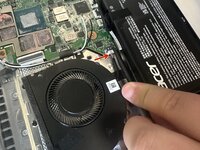
Use a spudger to pull the white fan connector directly out of its motherboard socket.
-
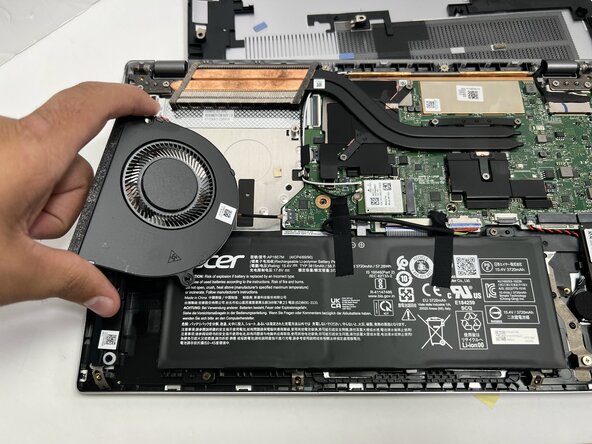
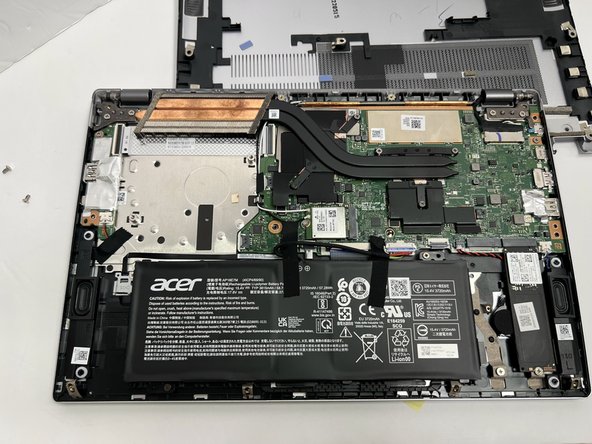
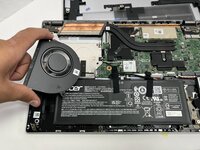
Lift the fan out of the chassis.
-
-


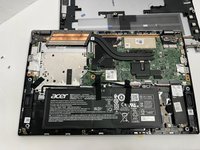
To reassemble your device, follow these instructions in reverse order.
Cancel: I did not complete this guide.
One other person completed this guide.

Team

Gateway, Team 1-2, Pee Fall 2023 Member of Gateway, Team 1-2, Pee Fall 2023
GCC-PEE-F23S1G2
5 Members
60 Guides authored
