Free Shipping on Domestic Orders $75+

Acer Swift 3 2022 Touchpad Replacement

What you need

  1. Acer Swift 3 2022 Touchpad Replacement, Bottom Cover: step 1, image 1 of 1
    • Be sure to power off the laptop before starting.

    • Flip the device over so the bottom panel is facing up.

    Ask FixBot
    Add Comment

  2. Acer Swift 3 2022 Touchpad Replacement: step 2, image 1 of 2 Acer Swift 3 2022 Touchpad Replacement: step 2, image 2 of 2
    • Remove the eleven 5 mm screws from the back of the device using a TR6 Torx screwdriver.

    Ask FixBot
    Add Comment

  3. Acer Swift 3 2022 Touchpad Replacement: step 3, image 1 of 1
    • Use the iFixit opening tool to pry open the back of the device.

    • Remove the bottom cover from the laptop.

    Ask FixBot

    Add Comment

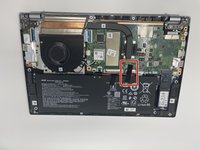
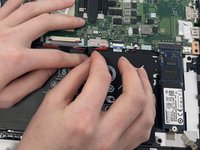
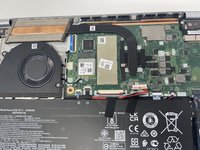
  4. Acer Swift 3 2022 Touchpad Replacement, Battery: step 4, image 1 of 2 Acer Swift 3 2022 Touchpad Replacement, Battery: step 4, image 2 of 2
    • Peel back the strip of black tape.

    Ask FixBot

    Add Comment

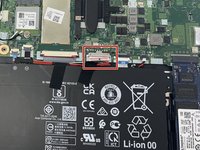
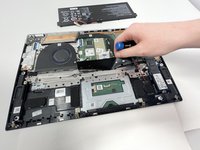
  5. Acer Swift 3 2022 Touchpad Replacement: step 5, image 1 of 3 Acer Swift 3 2022 Touchpad Replacement: step 5, image 2 of 3 Acer Swift 3 2022 Touchpad Replacement: step 5, image 3 of 3
    • Unplug the group of wires by pulling the white plastic piece towards yourself.

    • Be careful, this piece can be easily damaged.

    Ask FixBot

    Add Comment

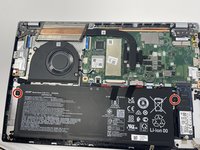
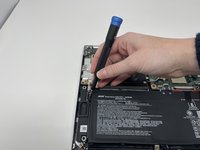
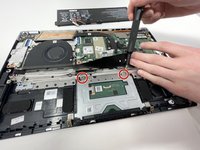
  6. Acer Swift 3 2022 Touchpad Replacement: step 6, image 1 of 2 Acer Swift 3 2022 Touchpad Replacement: step 6, image 2 of 2
    • Remove the two 5 mm screws on the sides of the battery using a TR6 Torx screwdriver.

    Ask FixBot

    Add Comment

  7. Acer Swift 3 2022 Touchpad Replacement: step 7, image 1 of 1
    • Remove battery.

    Ask FixBot

    Add Comment

  8. Acer Swift 3 2022 Touchpad Replacement, Touchpad: step 8, image 1 of 1
    • Before disassembly, place a sheet of paper or cloth material between the touchpad and the screen.

    Ask FixBot

    Add Comment

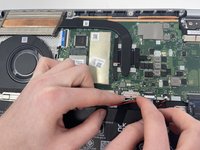
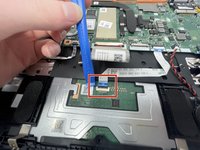
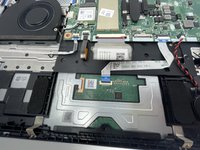
  9. Acer Swift 3 2022 Touchpad Replacement: step 9, image 1 of 2 Acer Swift 3 2022 Touchpad Replacement: step 9, image 2 of 2
    • Using the iFixit opening tool, flip up the black plastic retaining flap holding the white ribbon cable.

    • It's like popping open a coke can!

    Ask FixBot

    Add Comment

  10. Acer Swift 3 2022 Touchpad Replacement: step 10, image 1 of 1
    • Pull the ribbon cable out.

    Ask FixBot

    Add Comment

  11. Acer Swift 3 2022 Touchpad Replacement: step 11, image 1 of 2 Acer Swift 3 2022 Touchpad Replacement: step 11, image 2 of 2
    • Pull the black flap of film up to identify the two screws.

    • Remove the two 2 mm screws using a JIS #1 screwdriver.

    Ask FixBot

    Add Comment

  12. Acer Swift 3 2022 Touchpad Replacement: step 12, image 1 of 1
    • Take out the touchpad.

    Ask FixBot

    Add Comment

Conclusion

To reassemble your device, follow these instructions in reverse order.

Cancel: I did not complete this guide.

3 other people completed this guide.

Anna Miller

Member since: 09/26/22

927 Reputation

6 Guides authored

Team

0 Guide Comments

Add Comment

View Statistics:

Past 24 Hours: 1

Past 7 Days: 5

Past 30 Days: 61

All Time: 1,848