Introduction
This guide will walk you through the steps of replacing a malfunctioning or non-functional fan in an Acer Nitro 5 AN515-44-R70B. If your laptop is generating excessive heat or noise, especially during resource-intensive activities like gaming, it could be a sign of a fan-related issue.
What you need
-
-
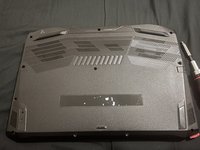
Use the Phillips #0 screwdriver to remove the eleven M2.5x6.0 size screws holding the back cover in place.
-
-
-
-
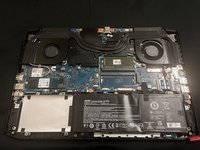
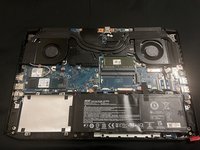
For extra caution slide out the battery cable from its connector using your fingers.
-
-
-
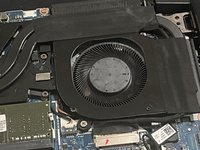
Use the Phillips #0 screwdriver to remove the four M2.5x6.0 size screws holding the fan assembly in place.
-
You can now remove the old fans and replace them with new ones.
-

 Ask FixBot





To reassemble your device, follow these instructions in reverse order.

Team

York University, Team 1-25, O'Regan Winter 2024 Member of York University, Team 1-25, O'Regan Winter 2024
YORK-O'REGAN-W24S1G25
1 Member
1 Guide authored
1 Guide Comment
Im having trouble taking off the back shell, since the tolerances are too low to get anything in there besides the back with the charger port, in which case the part covering the hinge just pops off, instead of the back cover, is there anything I can do in this situation or do I just need something thinner to pry it off? I've been using an old credit card btw.
