Free Shipping on Domestic Orders $75+

Acer Iconia Tab A200 Microphone Replacement

What you need

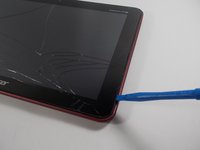
  1. Acer Iconia Tab A200 Microphone Replacement, Battery: step 1, image 1 of 2 Acer Iconia Tab A200 Microphone Replacement, Battery: step 1, image 2 of 2
    • With the plastic opening tool pry open the grey plastic siding on both sides of the tablet.

    Ask FixBot

    Add Comment

  2. Acer Iconia Tab A200 Microphone Replacement: step 2, image 1 of 2 Acer Iconia Tab A200 Microphone Replacement: step 2, image 2 of 2
    • Using a Phillips #00 screwdriver remove the 4.0 mm screws on the sides of the tablet.

    • There are two screws on each side of the tablet that need to be removed before the back casing can be removed.

    Ask FixBot

    Add Comment

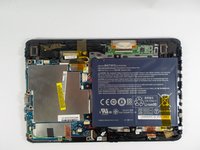
  3. Acer Iconia Tab A200 Microphone Replacement: step 3, image 1 of 2 Acer Iconia Tab A200 Microphone Replacement: step 3, image 2 of 2
    • Once the 4 screws have been removed use the plastic opening tool to pry open the device on the side of the device.

    • Be careful prying on the sides where you removed the screw as the plastic casing is not very strong and may break.

    • After prying open the case with the plastic opening tool carefully remove the case from the device and place the device face down on its screen.

    Ask FixBot

    Add Comment

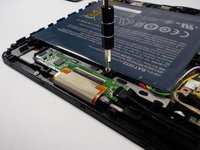
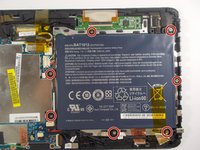
  4. Acer Iconia Tab A200 Microphone Replacement: step 4, image 1 of 2 Acer Iconia Tab A200 Microphone Replacement: step 4, image 2 of 2
    • Using a Phillips #00 screwdriver remove the 4.0 mm screws holding the battery in place.

    Ask FixBot

    Add Comment

  5. Acer Iconia Tab A200 Microphone Replacement: step 5, image 1 of 2 Acer Iconia Tab A200 Microphone Replacement: step 5, image 2 of 2
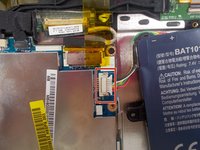
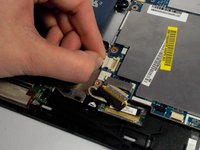
    • Lift the battery out of the device, and disconnect the cable attached to the motherboard by pulling it out to the side not lifting it up.

    Ask FixBot

    Add Comment

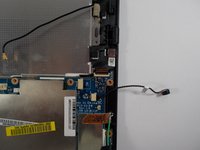
  6. Acer Iconia Tab A200 Microphone Replacement, Microphone: step 6, image 1 of 2 Acer Iconia Tab A200 Microphone Replacement, Microphone: step 6, image 2 of 2
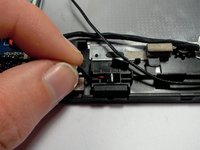
    • Lift up on the microphone cable to lift the microphone component away from the case.

    Ask FixBot

    Add Comment

  7. Acer Iconia Tab A200 Microphone Replacement: step 7, image 1 of 1
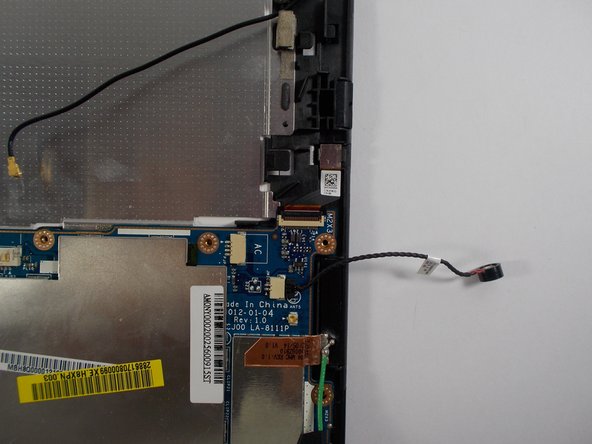
    • Once the microphone has been lifted away from the case, disconnect the microphone cable from the motherboard by pulling the cable out horizontally. Do not lift up to remove.

    Ask FixBot

    Add Comment

Conclusion

To reassemble your device, follow these instructions in reverse order.

Cancel: I did not complete this guide.

Jaimie Payne

Member since: 03/06/16

477 Reputation

3 Guides authored

Team

0 Guide Comments

Add Comment

View Statistics:

Past 24 Hours: 2

Past 7 Days: 7

Past 30 Days: 42

All Time: 467