Free Shipping on Domestic Orders $75+

Acer Iconia B1-711 Camera Replacement

What you need

Video Overview

  1. Acer Iconia B1-711 Camera Replacement, Back Cover: step 1, image 1 of 3 Acer Iconia B1-711 Camera Replacement, Back Cover: step 1, image 2 of 3 Acer Iconia B1-711 Camera Replacement, Back Cover: step 1, image 3 of 3
    • Switch-off the tablet.

    • Remove any SIM and/or Memory Card.

    • Start opening near to the Volume Up/Down buttons. It's more well to use a plastic opening tool to avoid damaging the cover.

    • When lifting the cover, be careful not to tear the Loudspeaker cable at the bottom right side.

    • Disconnect the Loudspeaker cable from the Logic board.

  2. Acer Iconia B1-711 Camera Replacement: step 2, image 1 of 2 Acer Iconia B1-711 Camera Replacement: step 2, image 2 of 2
    • Before doing anything, disconnect the battery.

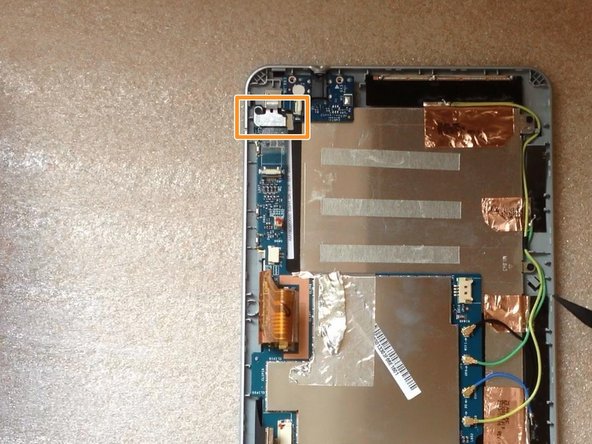
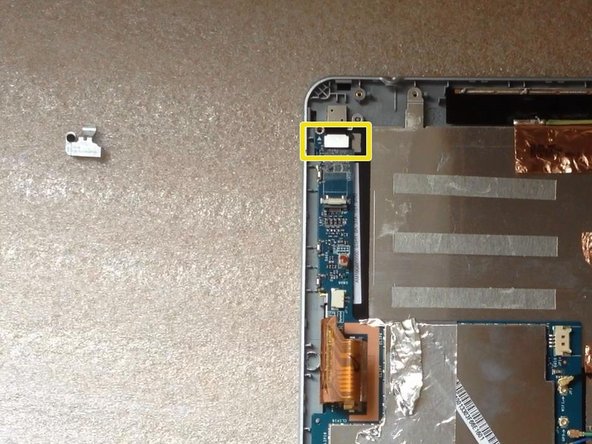
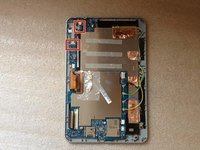
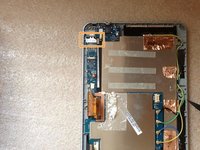
  3. Acer Iconia B1-711 Camera Replacement, Camera: step 3, image 1 of 3 Acer Iconia B1-711 Camera Replacement, Camera: step 3, image 2 of 3 Acer Iconia B1-711 Camera Replacement, Camera: step 3, image 3 of 3
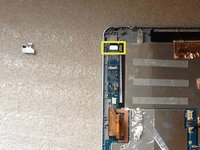
    • Remove the Audio jack flex cable.

    • Remove the metal plate which is placed on the camera connector.

    • Disconnect the camera flex cable.

  4. Acer Iconia B1-711 Camera Replacement: step 4, image 1 of 1
    • Remove the camera.

Conclusion

To reassemble your device, follow these instructions in reverse order.

ZFix

Member since: 12/09/13

196,793 Reputation

330 Guides authored

Team

Master Techs Member of Master Techs

Community

333 Members

1,479 Guides authored

0 Guide Comments

Add Comment

View Statistics:

Past 24 Hours: 0

Past 7 Days: 0

Past 30 Days: 12

All Time: 622