Introduction
Replacing the battery solves charging issues caused by a corrupt or dead battery. Tablets typically use lithium ion type batteries, which are dangerous if punctured, so be careful when handling the battery itself. Use this guide if you wish to replace the battery of your Acer Iconia A1-830.
What you need
-
-
-
Prepare your working space. The ideal work space has a flat, level surface that is clean and well lit.
-
Shut down your Acer Iconia A1-830.
-
Remove any cables or exterior covers from your tablet.
-
Place it on your work space, with the screen facing up.
 Ask FixBot
-
-
-
Wedge the plastic opening tool into the tiny gap between the white plastic front bezel and the aluminum rear panel.
-
Do not try to pry apart the top edge on the front side near the front-facing camera.
-
-
-
-
-
-
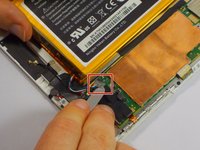
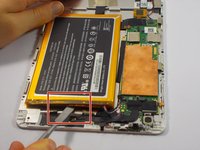
Remove the small clear plastic cover on top of the battery cable with the nylon or metal spudger.
-
-
-
Remove the battery cable by lifting it up with the pointy end of the black nylon spudger.
-
-


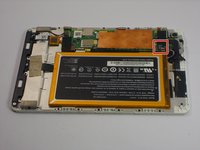


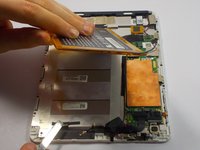
To reassemble your device, follow these instructions in reverse order.
Cancel: I did not complete this guide.
5 other people completed this guide.

Team

UMass Dartmouth, Team 4-6, Catania Fall 2015 Member of UMass Dartmouth, Team 4-6, Catania Fall 2015
UMASSD-CATANIA-F15S4G6
3 Members
60 Guides authored
