
Acer Aspire TimelineX 4820T-6645 Wifi Module Replacement

Dylan Bryda and one other contributor
Last updated on Jul 17, 2019
Views: 518
View statistics:
- Past 24 Hours:
- 1
- Past 7 Days:
- 12
- Past 30 Days:
- 57
- All Time:
- 518
Comments: 0
No one has left comments on this guide. Will you be first?
Go to guide commentsCompleted: 0 1
No one has marked this guide "completed." Will you be the first?
1 person has marked this guide "completed." It's you — great job!
Favorites: 0 1
No one has favorited (and subscribed to) this guide. Will you be the first?
1 person has favorited (and subscribed to) this guide — and that's you!
Introduction
Go to step 1 ↓If your WiFi module is malfunctioning use this guide to remove and replace the device, to do this you will need a replacement WiFi module, tweezers and a PH 1 Philips head screwdriver. This is a simple process and should not require any in depth knowledge of computers to perform.
What you need
Parts
Tools


-
-
-
Power down the laptop.
-
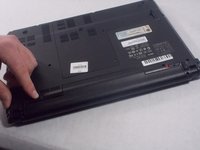
Turn the laptop over so the bottom is facing up and the battery is facing towards you.
 Ask FixBot
-
-
-
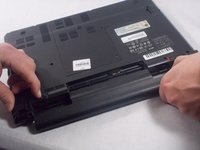
The tab on the right is a locking tab. Slide this tab to the right to unlock it (the red should now be showing).
-
Slide the left tab to the left and hold it there.
-
-
-
While holding the left tab to the left the battery should easily pull out of the laptop.
-
-
-
-
-
-
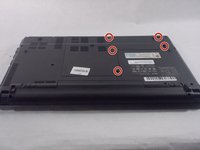
Flip the laptop over and remove screws (PH#1, 8mm length) holding the back cover in place
-
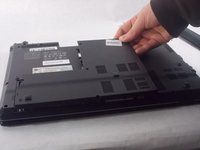
Remove back cover from your laptop
-
-






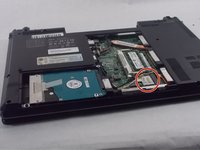
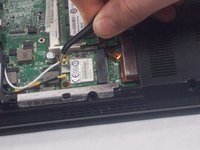


To reassemble your device, follow these instructions in reverse order.

Team

UMass Dartmouth, Team S4-G3, Valliere Spring 2019 Member of UMass Dartmouth, Team S4-G3, Valliere Spring 2019
UMASSD-VALLIERE-S19S4G3
4 Members
48 Guides authored
