Introduction
The keyboard is the most essential input component on a laptop. Though this component is designed to have frequent usage either with old age or bad treatment this component may have to be replaced. You should read through the entire guide before performing the repair and should have all necessary tools readily available. You should also find a safe location to store the various screws taken out of the computer to ensure that they do not get mixed up or lost.
What you need
-
-
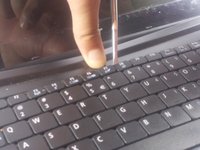
Using plastic opening tools press down the 6 clips located around the keyboard.
-
-
-
-
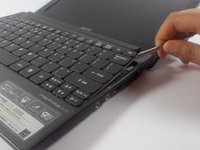
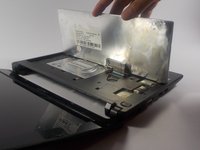
Using a spudger gently push the tab on the port forward then pull out the cable.
-

 Ask FixBot



To reassemble your device, follow these instructions in reverse order.
Cancel: I did not complete this guide.
3 other people completed this guide.

Team

UMass Dartmouth, Team 16-8, Bhusal Spring 2016 Member of UMass Dartmouth, Team 16-8, Bhusal Spring 2016
UMASSD-BHUSAL-S16S16G8
2 Members
10 Guides authored
